Explore product areas

Explore how your team’s work connects.

Browse key product areas, preview the workspace, then follow each workflow into its details.

Connected workflows

Sales & customers

Understand the need. Connect the next step.

Customers & requirements

Open section details

A clear record for each relationship, independent requirements for each search, and follow-up ownership the team can see.

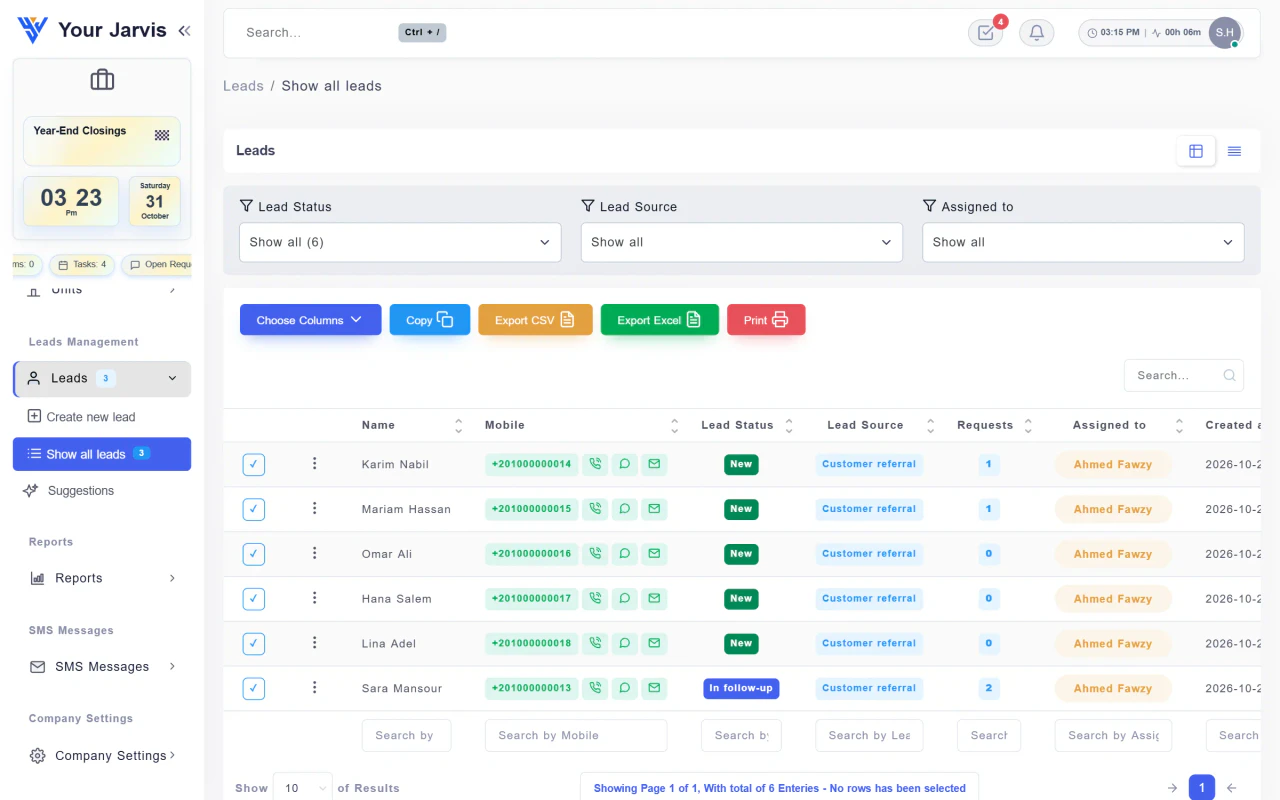
Customer workspace

Status, source, follow-up owner and customer requests.
Status, source, follow-up owner and customer requests.
Inside the product · illustrative dataCustomer workspace
Customer workspace

Inside the product · illustrative data

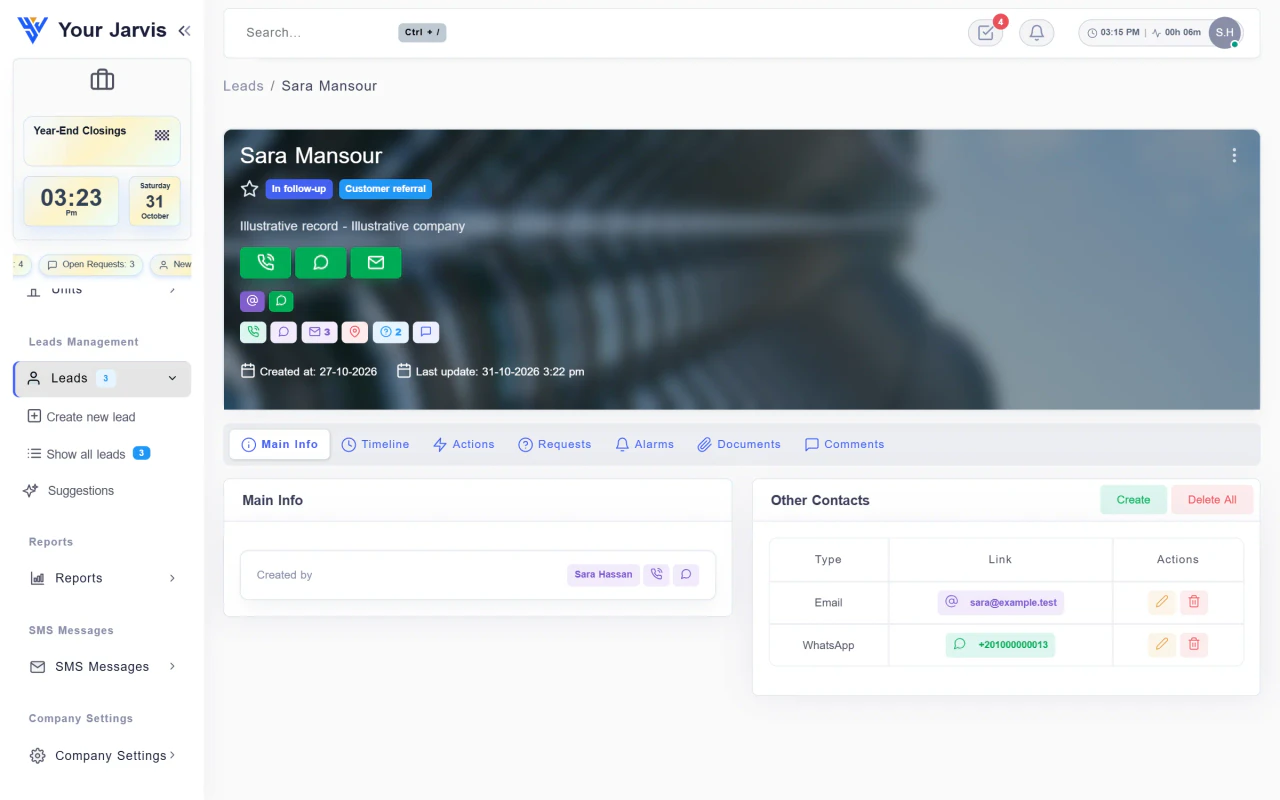
Customer record

Customer information, contact channels and follow-up context.
Customer information, contact channels and follow-up context.
Inside the product · illustrative dataCustomer record
Customer record

Inside the product · illustrative data

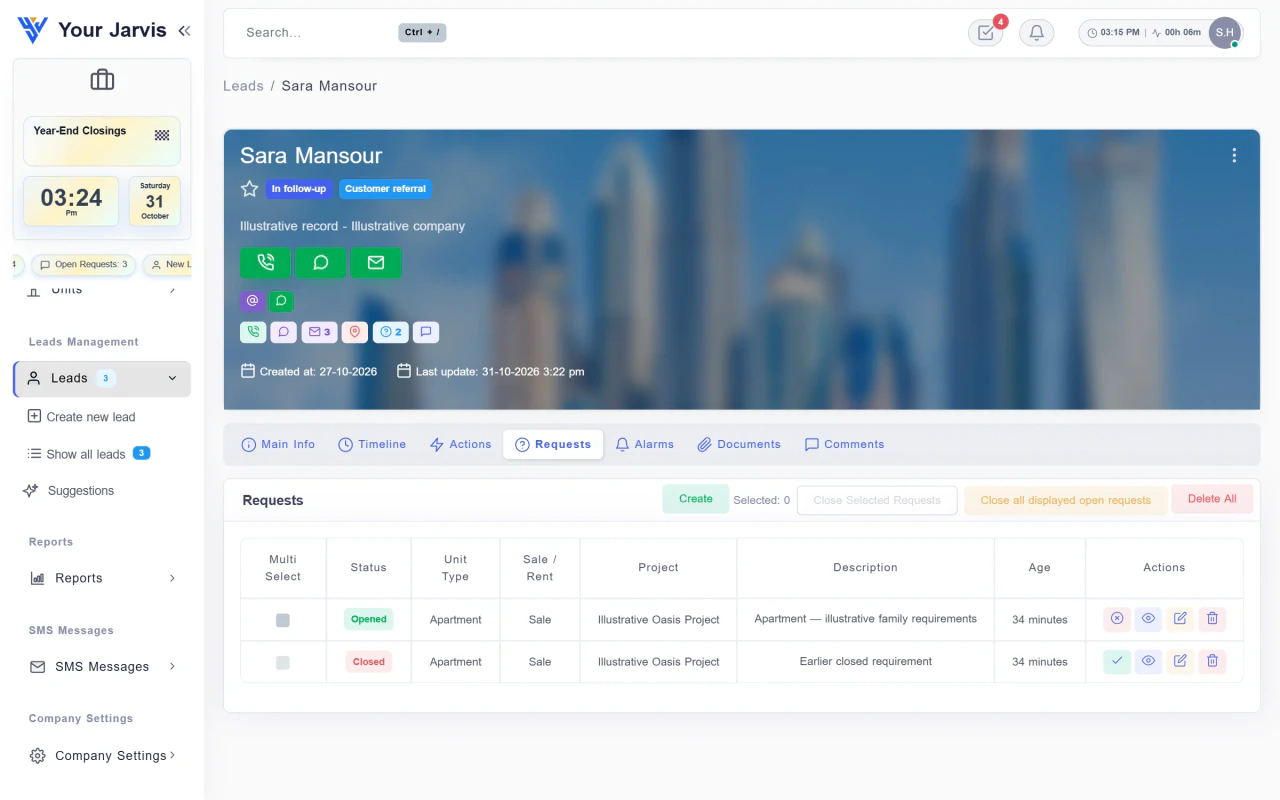
Multiple customer requirements

Separate requirements with their criteria and states.
Separate requirements with their criteria and states.
Inside the product · illustrative dataMultiple customer requirements
Multiple customer requirements

Inside the product · illustrative data

Requirement details

Budget, area, rooms and requirement preferences.
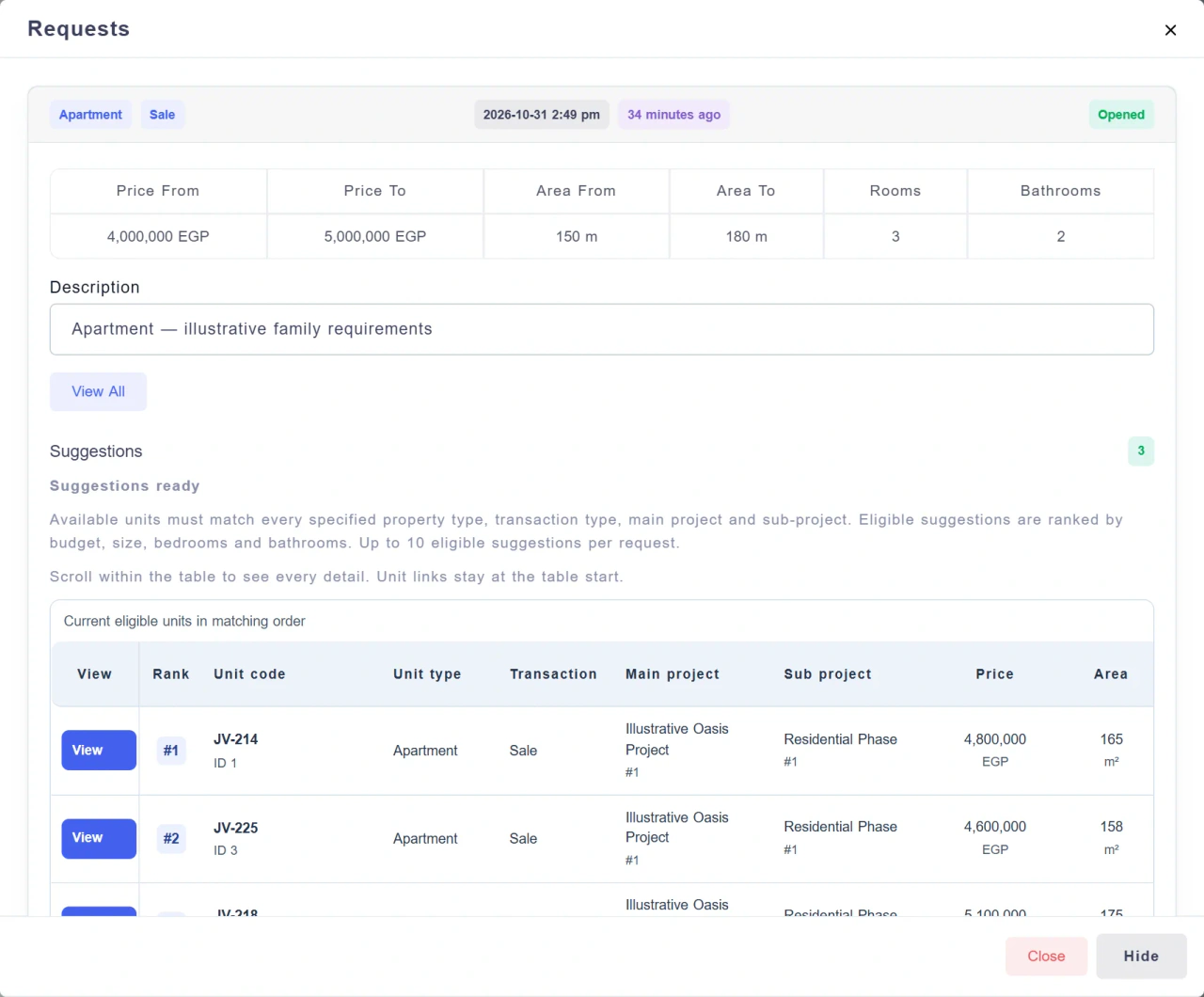
Budget, area, rooms and requirement preferences.
Inside the product · illustrative dataRequirement details
Requirement details
Inside the product · illustrative data

Smart property matching

Open section details
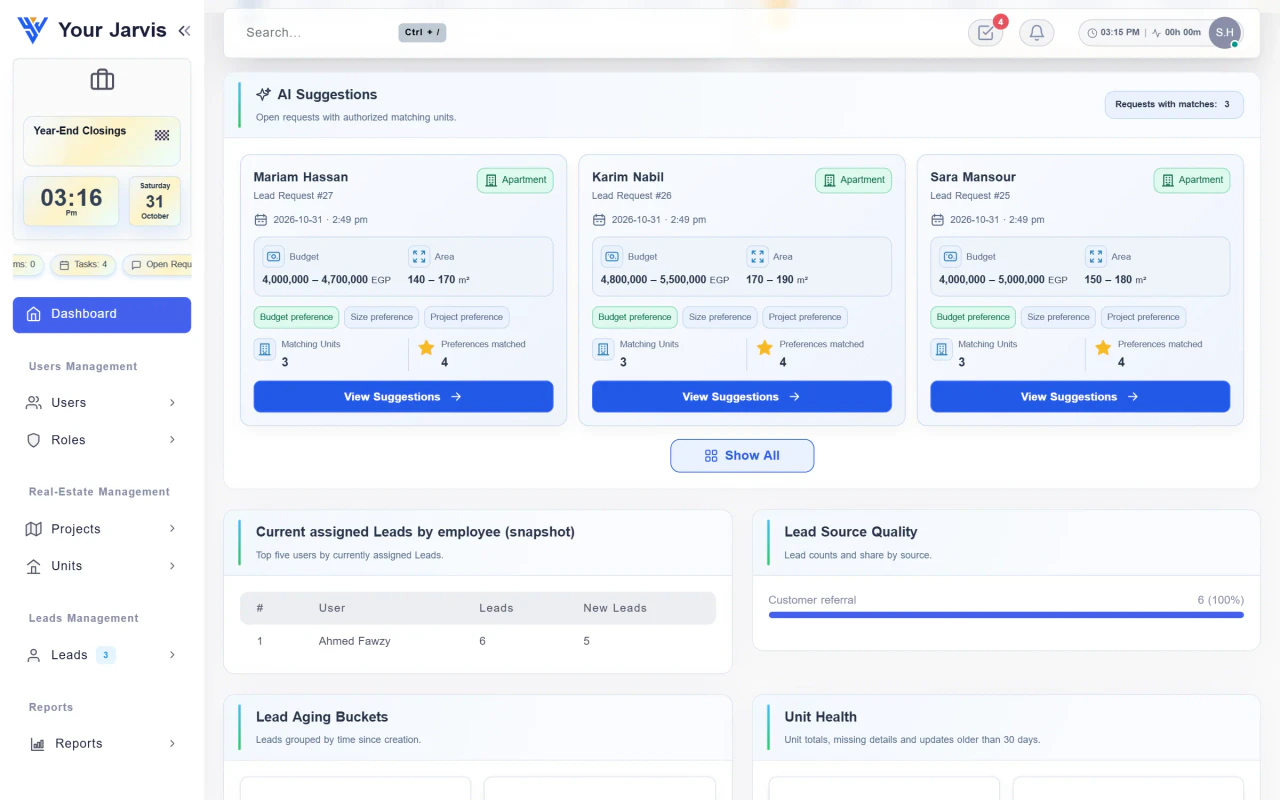
Turn a customer requirement into a reviewable property shortlist, with clear reasons that support comparison and the next step.

Matching cards on the dashboard

Customer requests, criteria and suggested properties in the working dashboard.

Customer requests, criteria and suggested properties in the working dashboard.
Inside the product · illustrative dataMatching cards on the dashboard
Matching cards on the dashboard

Inside the product · illustrative data

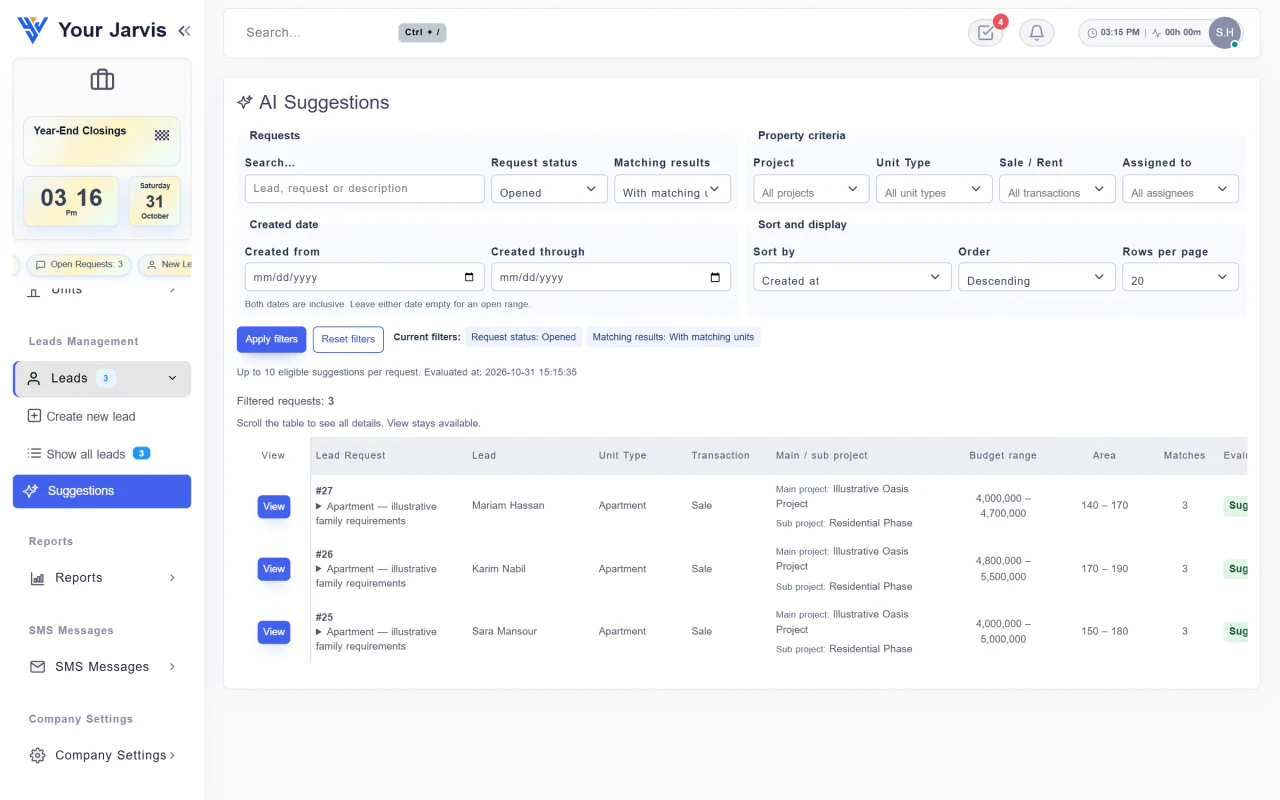
Smart property matching workspace

Review requests and matching results with filters.

Review requests and matching results with filters.
Inside the product · illustrative dataSmart property matching workspace
Smart property matching workspace

Inside the product · illustrative data

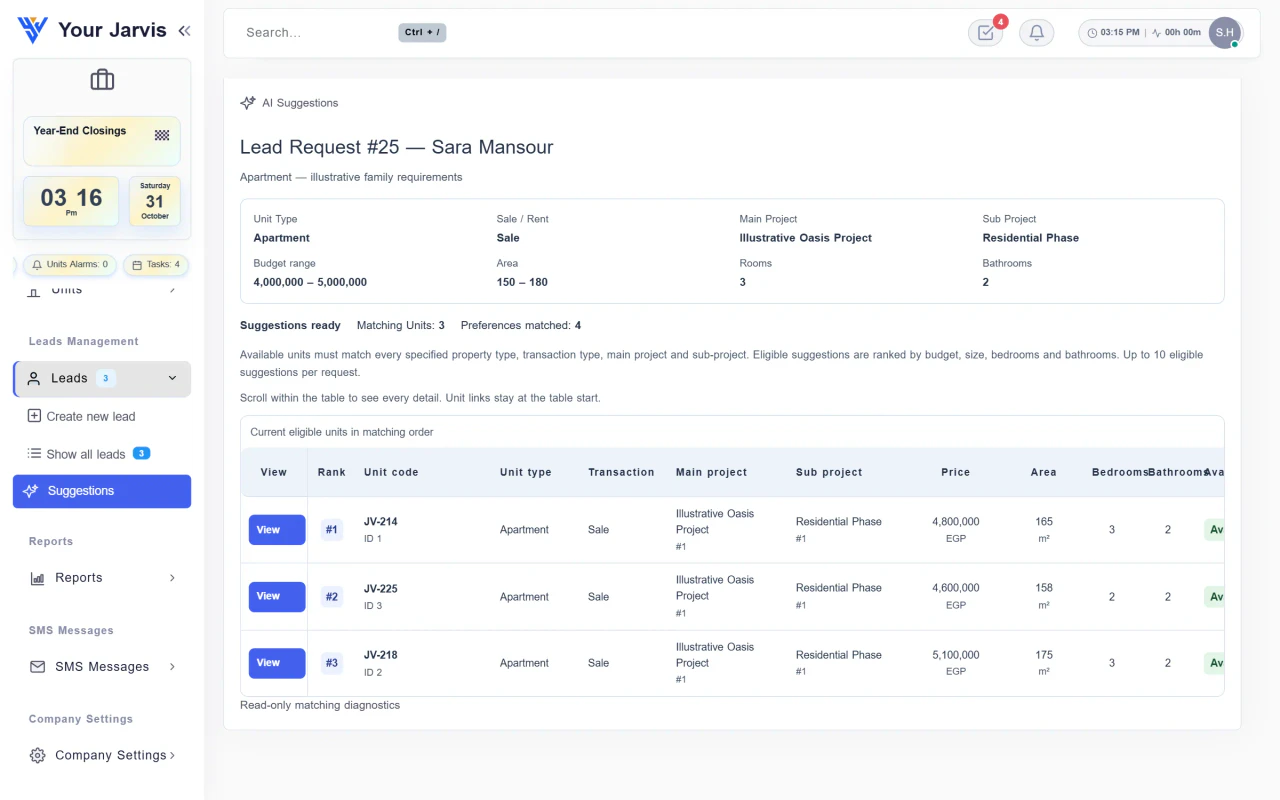
Requirement criteria and matching properties

The requirement, eligible properties and comparison order in one screen.

The requirement, eligible properties and comparison order in one screen.
Inside the product · illustrative dataRequirement criteria and matching properties
Requirement criteria and matching properties

Inside the product · illustrative data

Communication & property sharing

Open section details

Contact channels, relationship history, SMS tools and property presentations connect to the customer and the step they need next.

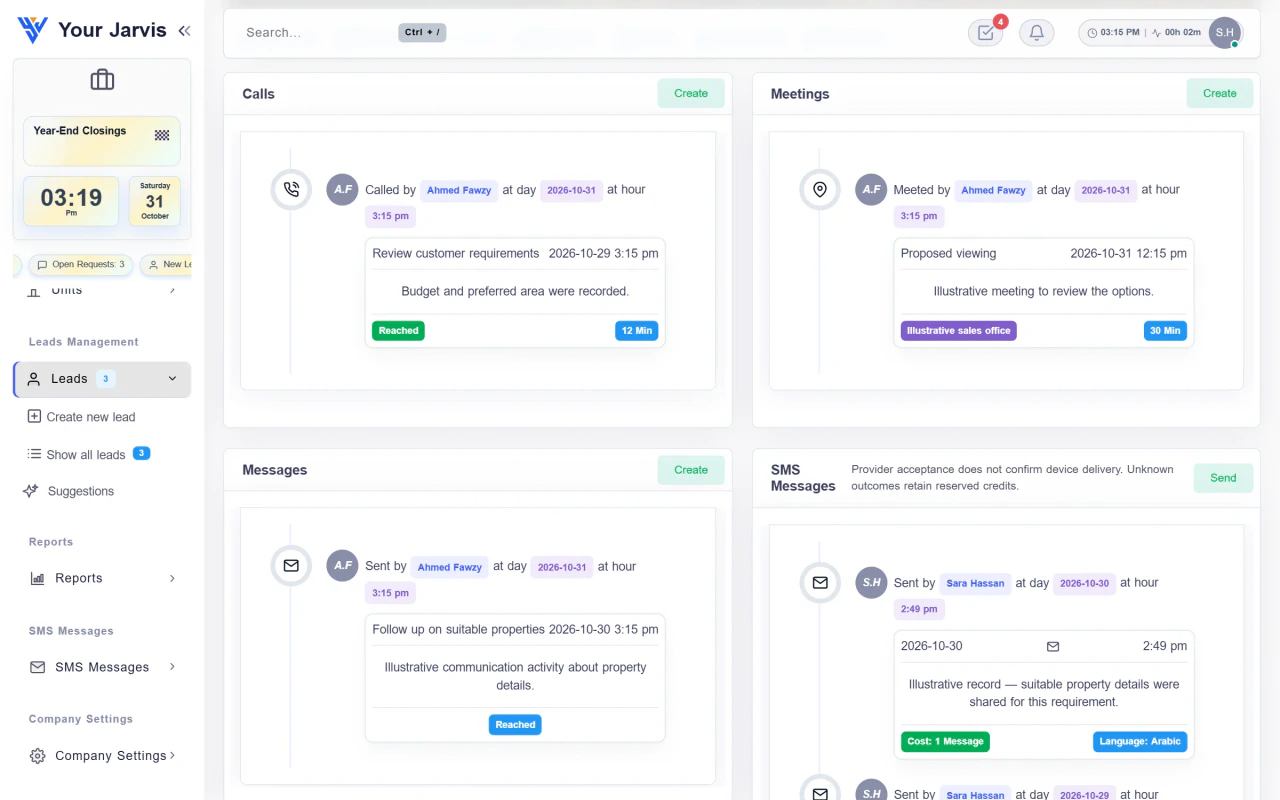
Communication activity history

Logged calls, messages and meetings in customer context.

Logged calls, messages and meetings in customer context.
Inside the product · illustrative dataCommunication activity history
Communication activity history

Inside the product · illustrative data

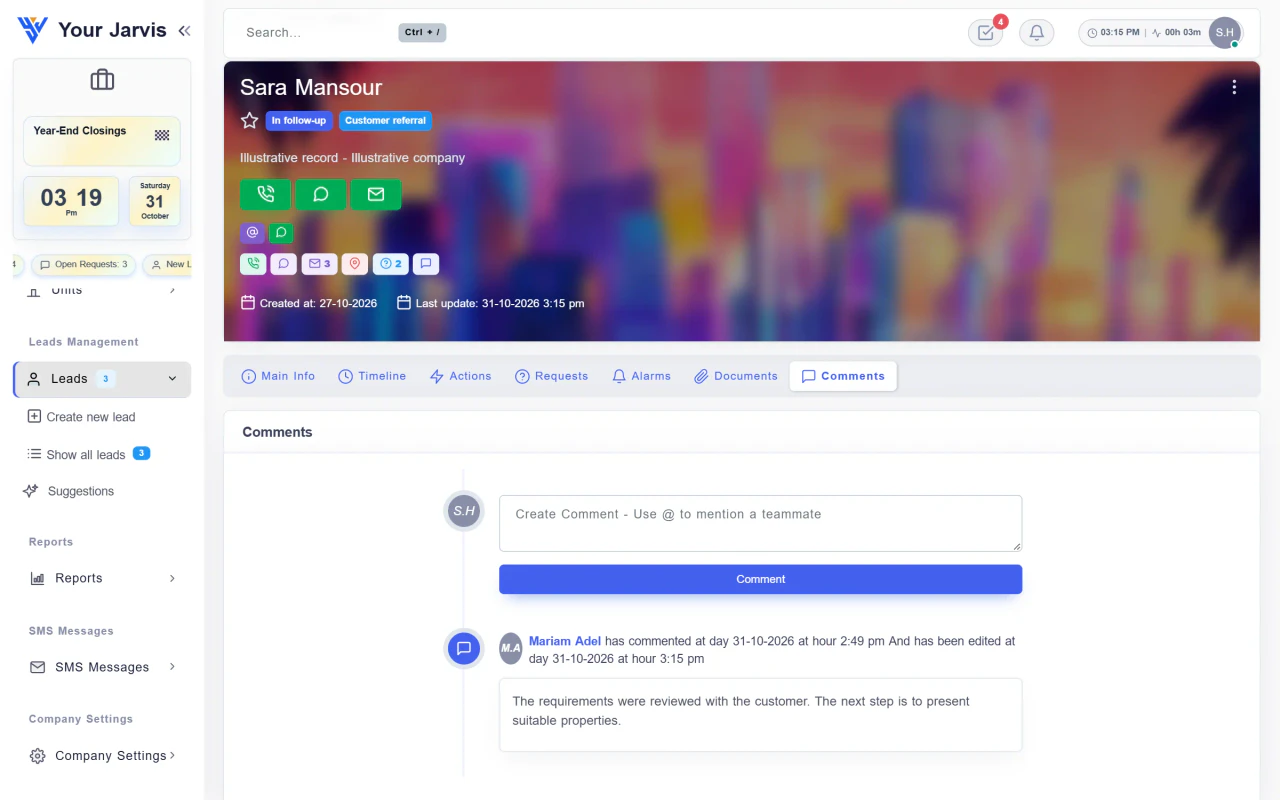
Team notes on the customer record

Customer-linked notes within the follow-up context.

Customer-linked notes within the follow-up context.
Inside the product · illustrative dataTeam notes on the customer record
Team notes on the customer record

Inside the product · illustrative data

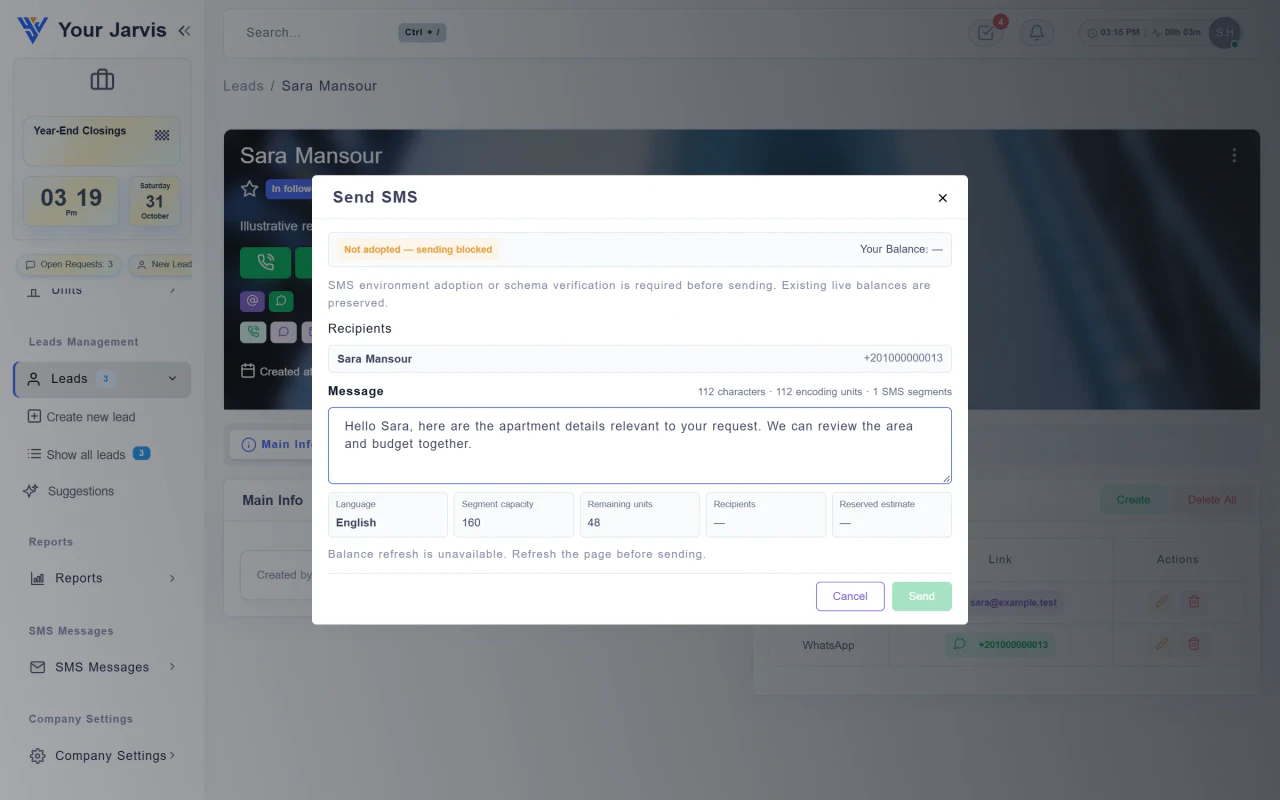
SMS composition

Select recipients and review message text and segments.

Select recipients and review message text and segments.
Inside the product · illustrative dataSMS composition
SMS composition

Inside the product · illustrative data

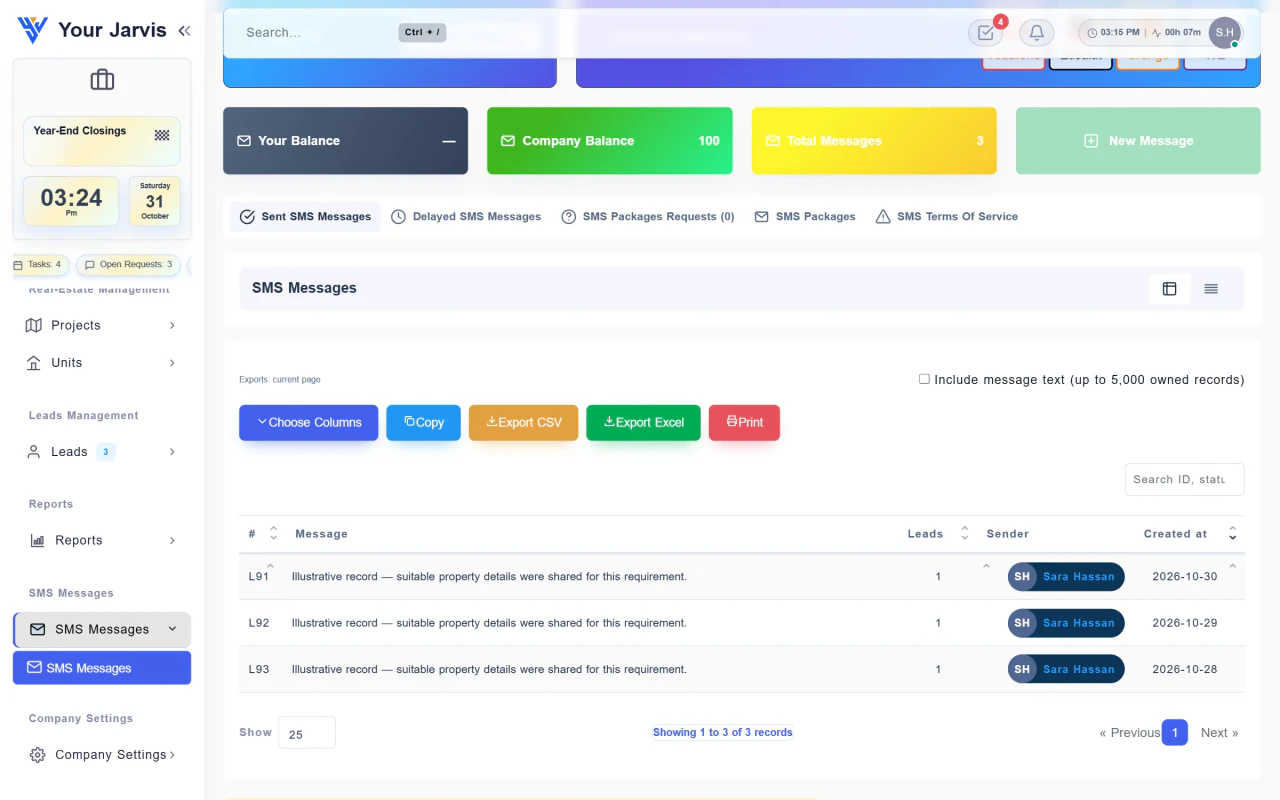
SMS history

Review message records and their recorded states.

Review message records and their recorded states.
Inside the product · illustrative dataSMS history
SMS history

Inside the product · illustrative data

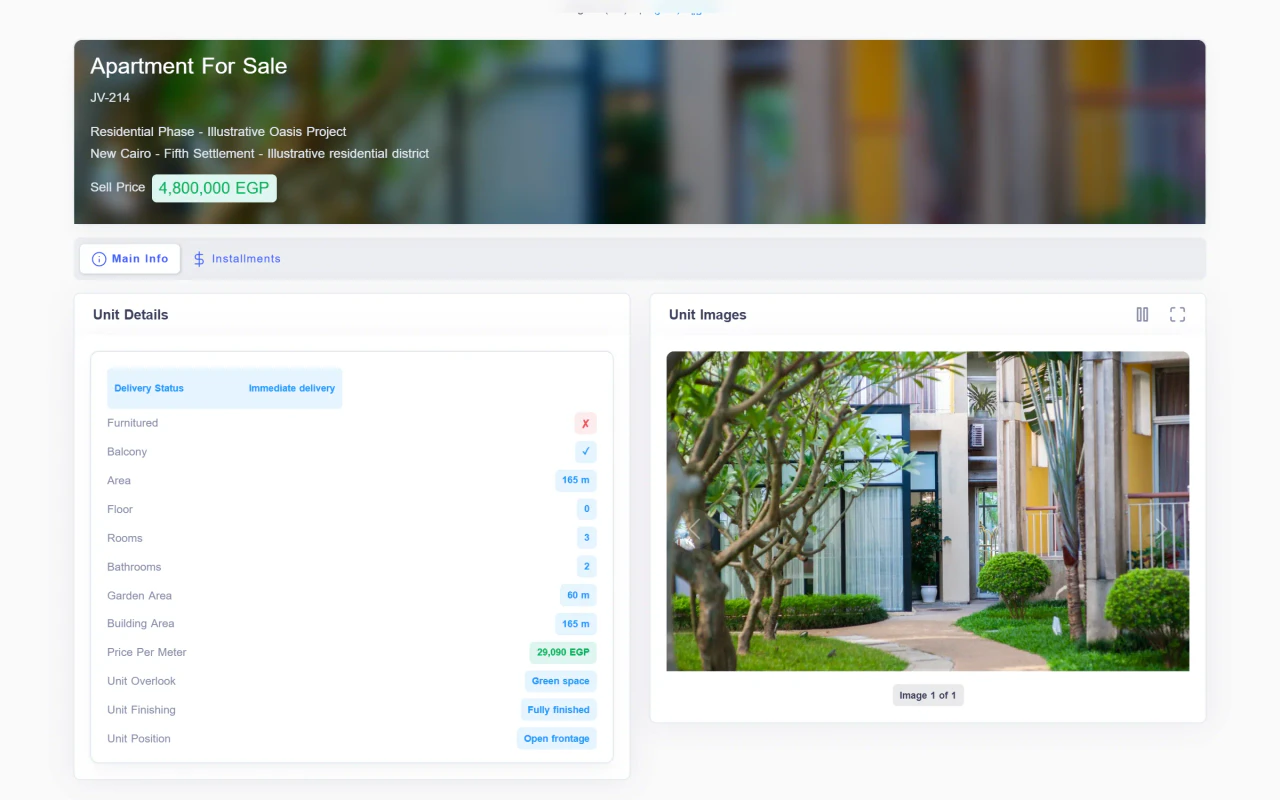
Shared property presentation

A genuine property presentation page with illustrative data.

A genuine property presentation page with illustrative data.
Inside the product · illustrative dataShared property presentation
Shared property presentation

Inside the product · illustrative data

Connected workflows

Properties & daily work

Clear details and work the team can follow.

Inventory & projects

Open section details

Sale and rental properties, their projects, relationships, media and history in an inventory that helps the team work with clear details.

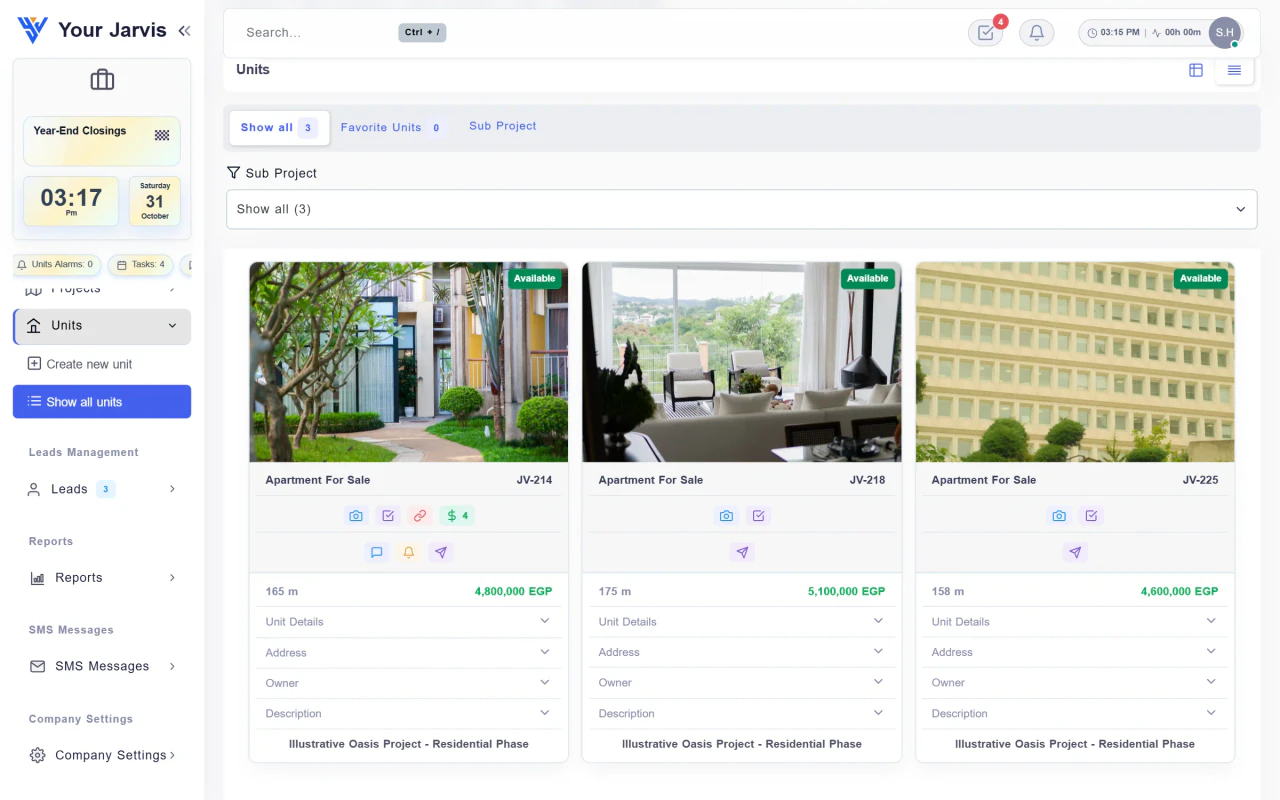
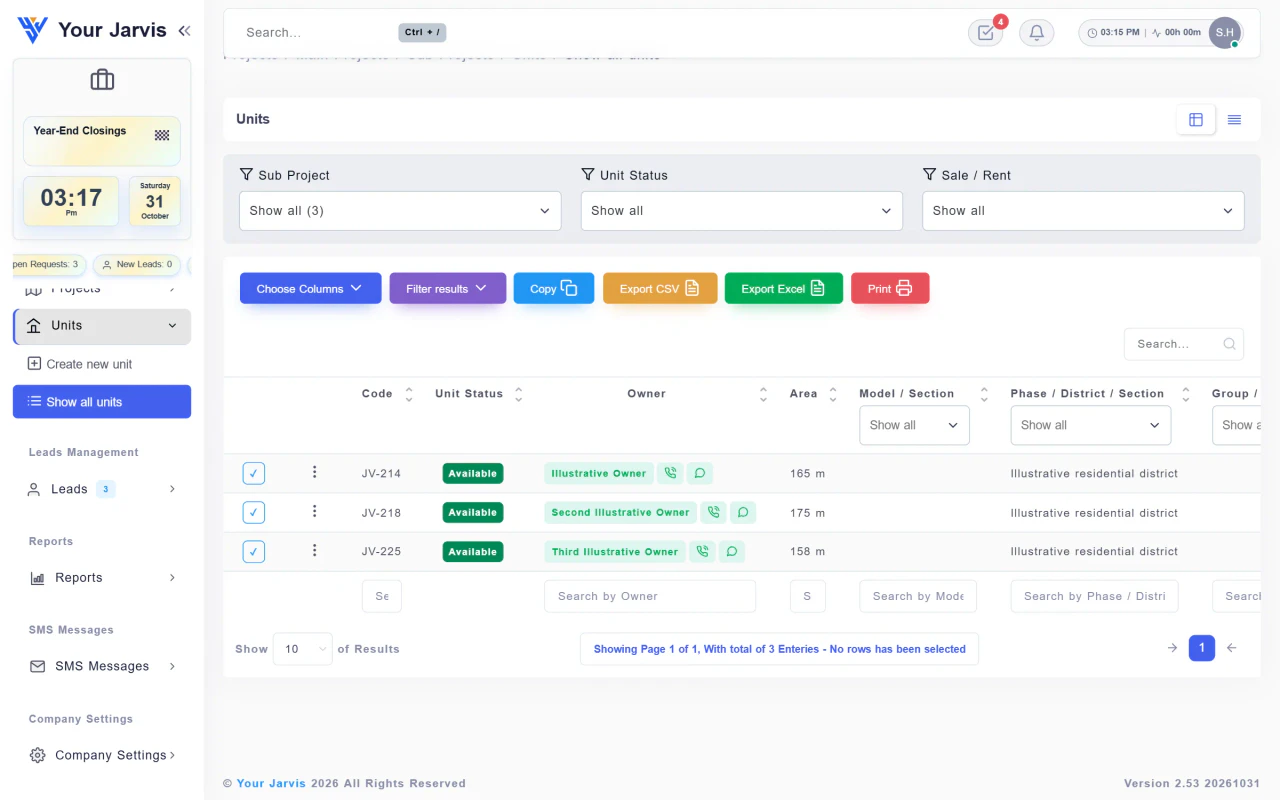
Property inventory — grid

The same illustrative properties with their images and specifications.

The same illustrative properties with their images and specifications.
Inside the product · illustrative dataProperty inventory — grid
Property inventory — grid

Inside the product · illustrative data

Property inventory — table

Compare the same properties and details in a table.

Compare the same properties and details in a table.
Inside the product · illustrative dataProperty inventory — table
Property inventory — table

Inside the product · illustrative data

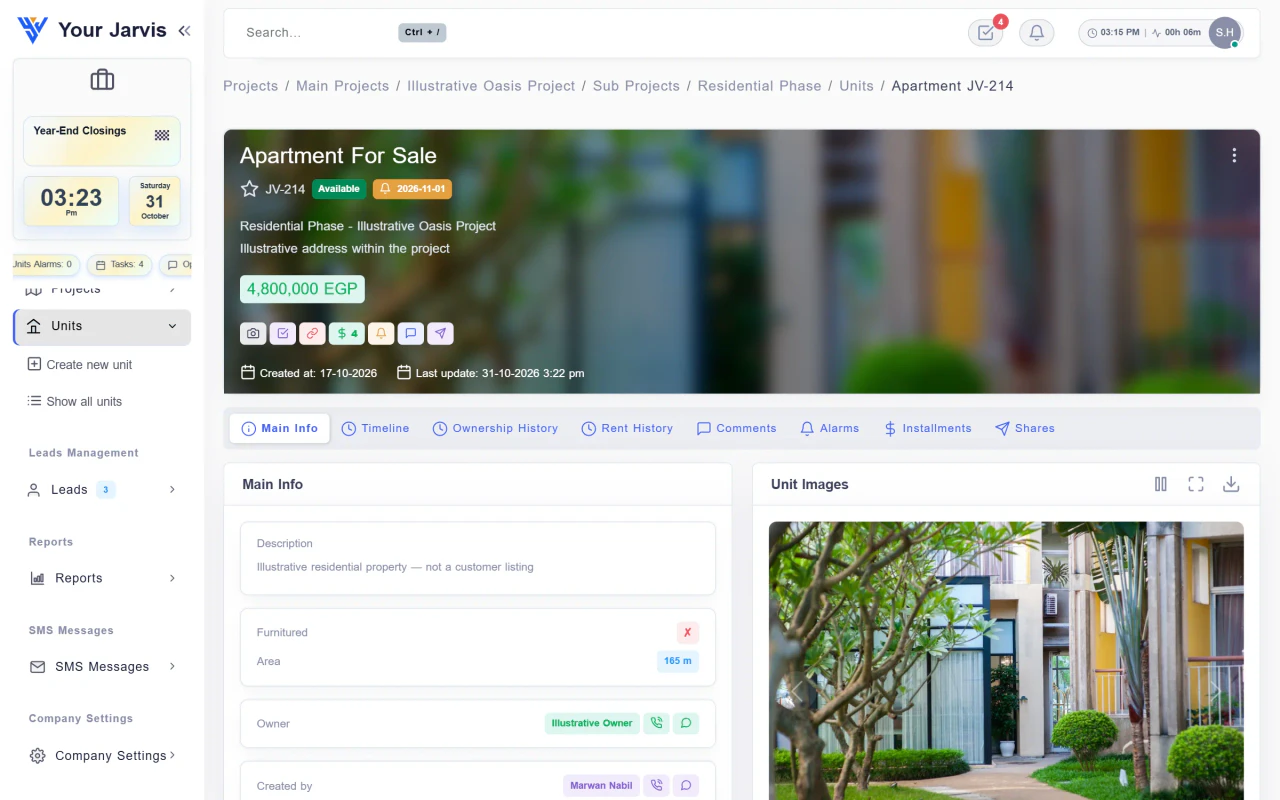
Property record and specifications

Property details, media and linked relationship context.

Property details, media and linked relationship context.
Inside the product · illustrative dataProperty record and specifications
Property record and specifications

Inside the product · illustrative data

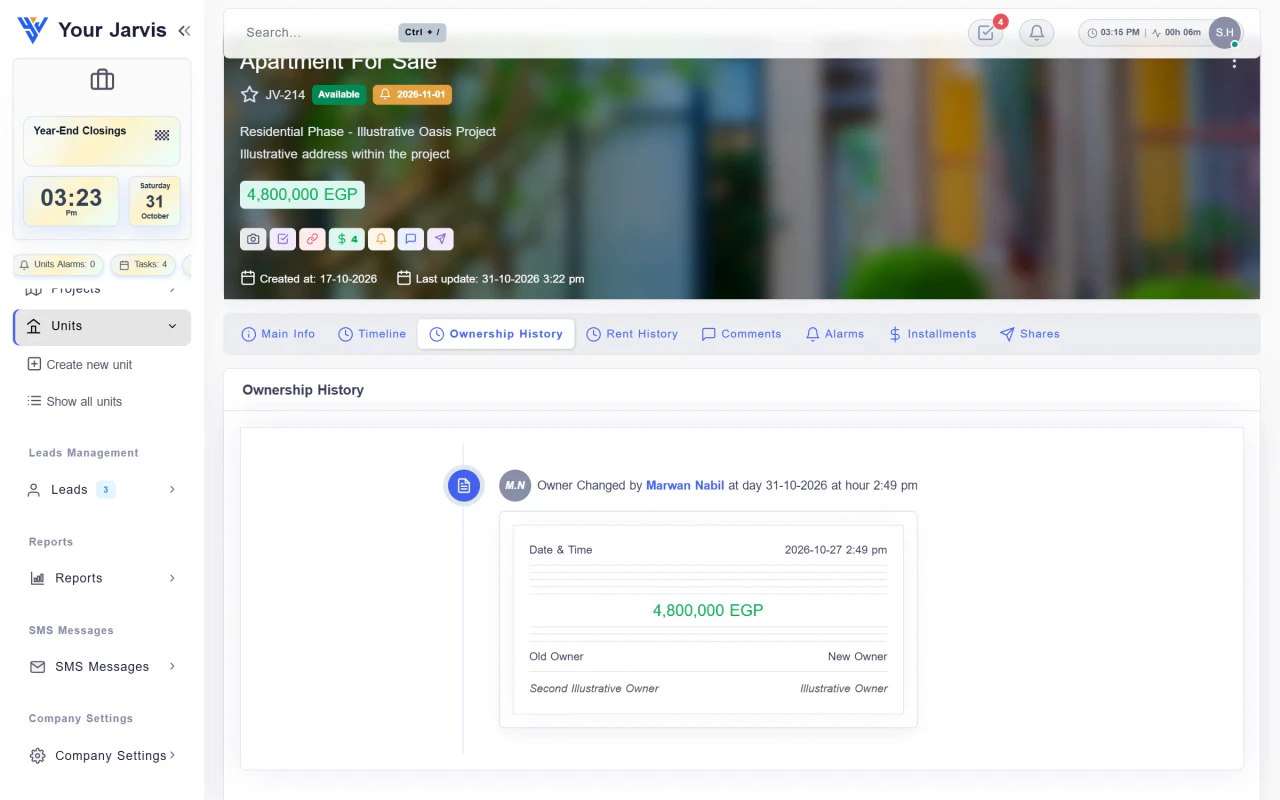
Property relationship history

Recorded changes to the property relationship, owner and listing value.

Recorded changes to the property relationship, owner and listing value.
Inside the product · illustrative dataProperty relationship history
Property relationship history

Inside the product · illustrative data

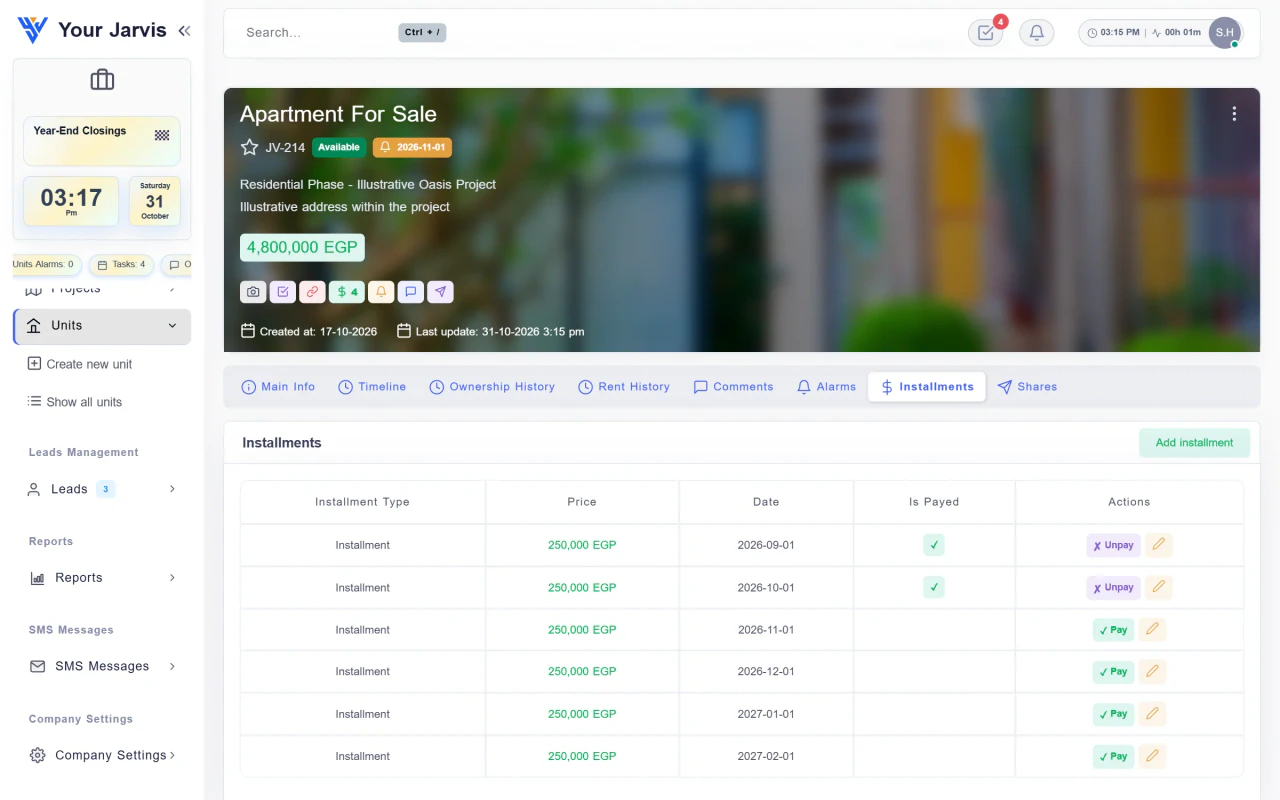
Recorded installment schedule

Dates, amounts and recorded payment flags in the property record.

Dates, amounts and recorded payment flags in the property record.
Inside the product · illustrative dataRecorded installment schedule
Recorded installment schedule

Inside the product · illustrative data

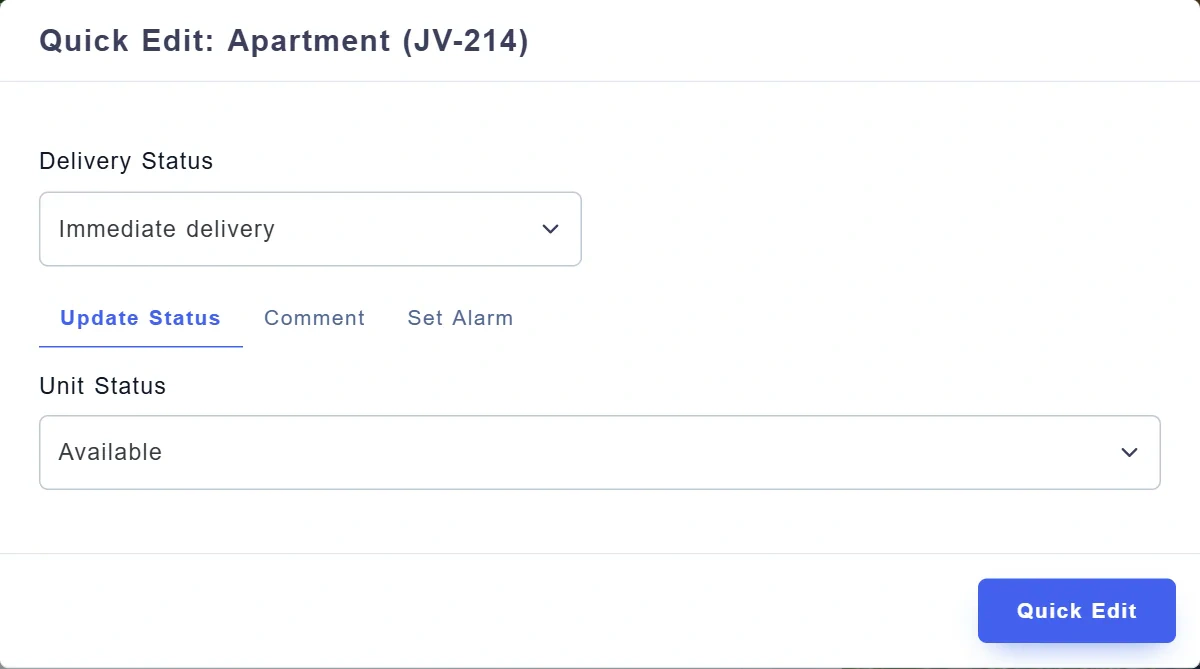
Property quick actions

User-selected contextual updates within the allowed permissions.

User-selected contextual updates within the allowed permissions.
Inside the product · illustrative dataProperty quick actions
Property quick actions

Inside the product · illustrative data

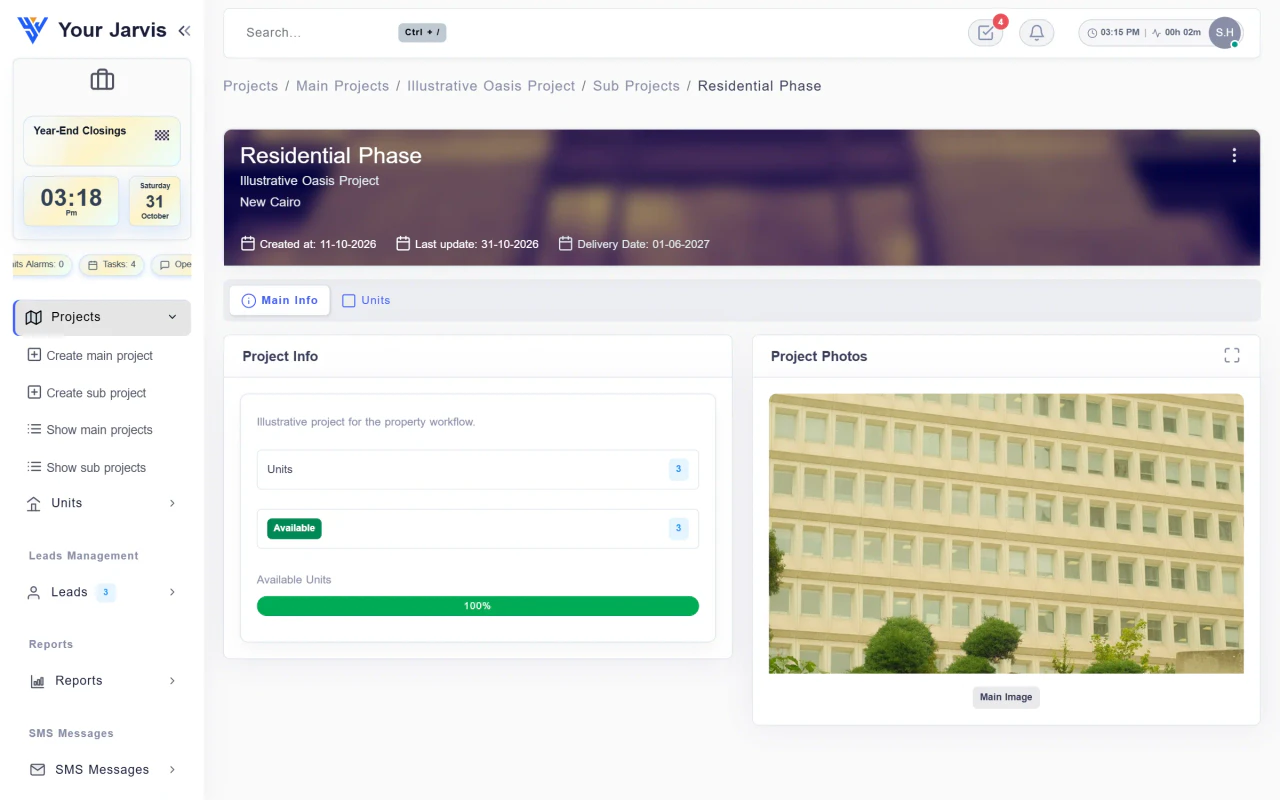
Project and related properties

Project and phase information with linked property context.

Project and phase information with linked property context.
Inside the product · illustrative dataProject and related properties
Project and related properties

Inside the product · illustrative data

Tasks & follow-up

Open section details

Dated tasks linked to records, clear completion confirmation, and queues and notifications that help the team organize the work.

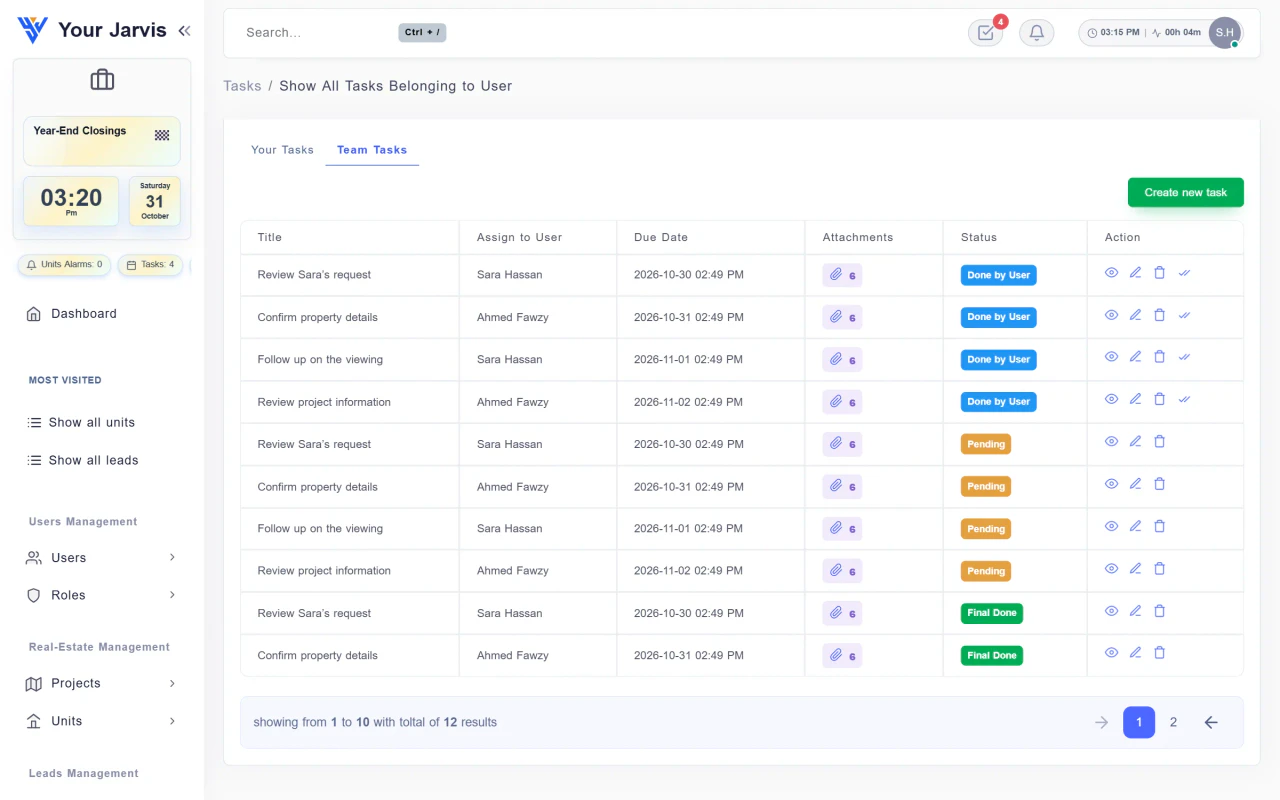
Task and follow-up workspace

Tasks, linked context, ownership and completion state.

Tasks, linked context, ownership and completion state.
Inside the product · illustrative dataTask and follow-up workspace
Task and follow-up workspace

Inside the product · illustrative data

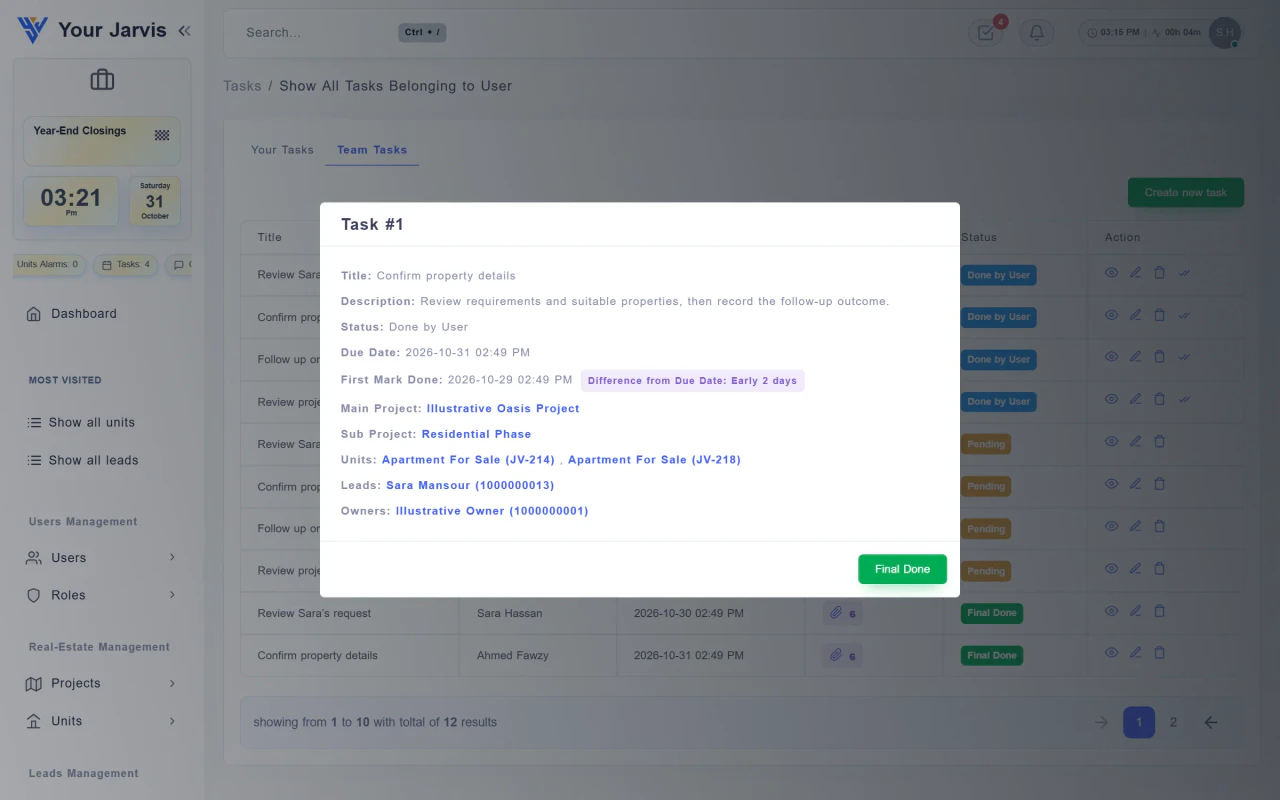
Task details

Requirements, work context and responsible employee in task detail.

Requirements, work context and responsible employee in task detail.
Inside the product · illustrative dataTask details
Task details

Inside the product · illustrative data

Team conversations

Open section details

An illustrative team-messaging concept covering direct conversations, groups and attachments. Ask us to demonstrate the available scope for your company.

An interactive workflow illustration
Sales teamIllustrative data
Nour

I added the requirement details. Area and a garden are the priorities.

Ahmed

Apartment JV-214 is worth reviewing. I attached its specification summary.

Property-specification-summary.pdf
Mariam

I’ll review the details with the customer and record the next step.

Keep work context beside the conversation

Direct or with the group

Coordinate with a colleague directly or bring the relevant people into a group, keeping the discussion with those involved in the work.

A discussion you can follow

Return to ordered message history and continue from its context, with delivery and read state to help you understand where the conversation stands.

Attachments that support the discussion

Share images and supported document files within the conversation, keeping each file close to the explanation your colleagues need.

Membership and privacy boundaries

Reading a conversation and accessing its attachments follow membership, with group member management governed by the person’s role in that group.

Edit and organize

Use message editing and deletion within the applicable rules, and organize conversations with pinning, archiving and mute controls.

A full workspace and nearby windows

Focus on the discussion in the messaging page or continue through windows while working, with presence and last-seen information governed by privacy settings.

A library for working files

Organize company files and review storage use through authorized administration tools, with file deletion, restoration and retention management.

Connected workflows

Performance & administration

Read the picture. Organize the workspace.

Performance Pulse

Open section details

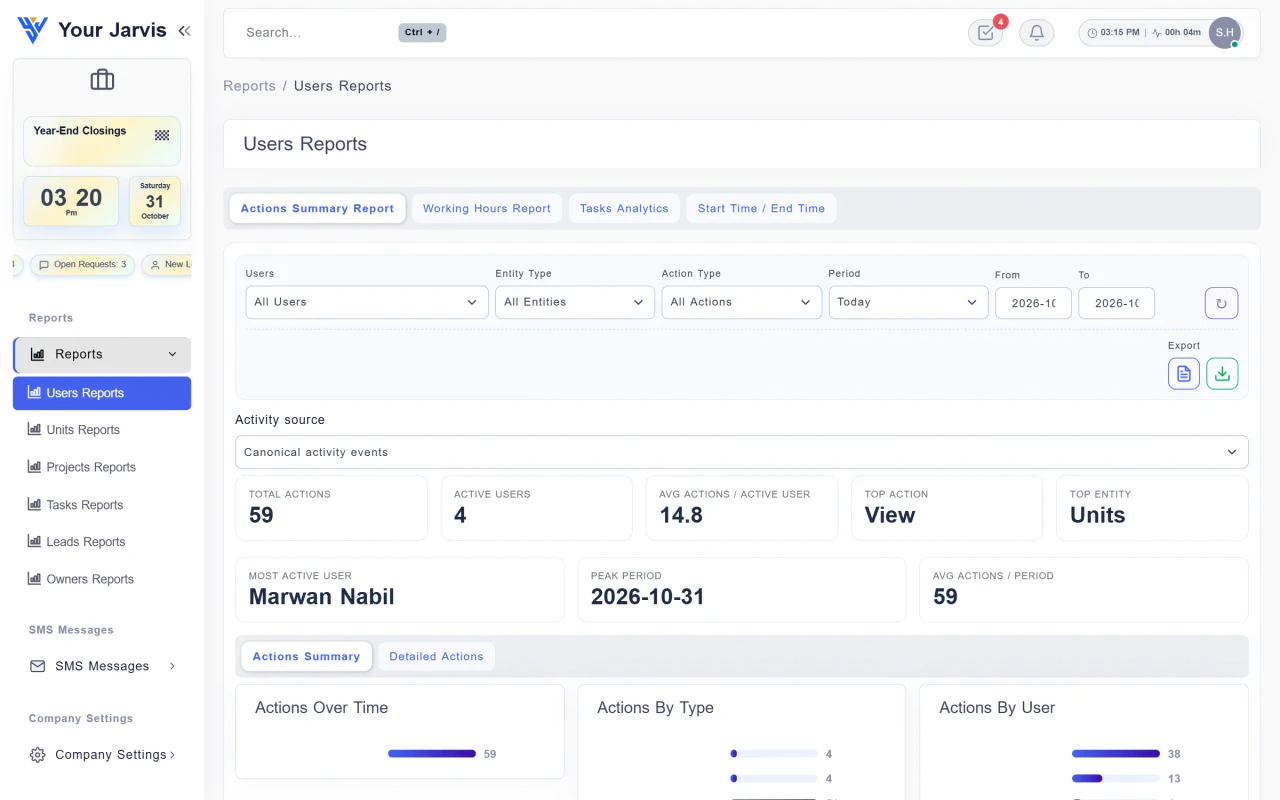
Reports & Insights, Performance Scoring and Performance Stars help management read the operation and the team understand how recorded work is assessed.

Reports & Insights

Filters and trends for recorded activity over the selected period.

Filters and trends for recorded activity over the selected period.
Inside the product · illustrative dataReports & Insights
Reports & Insights

Inside the product · illustrative data

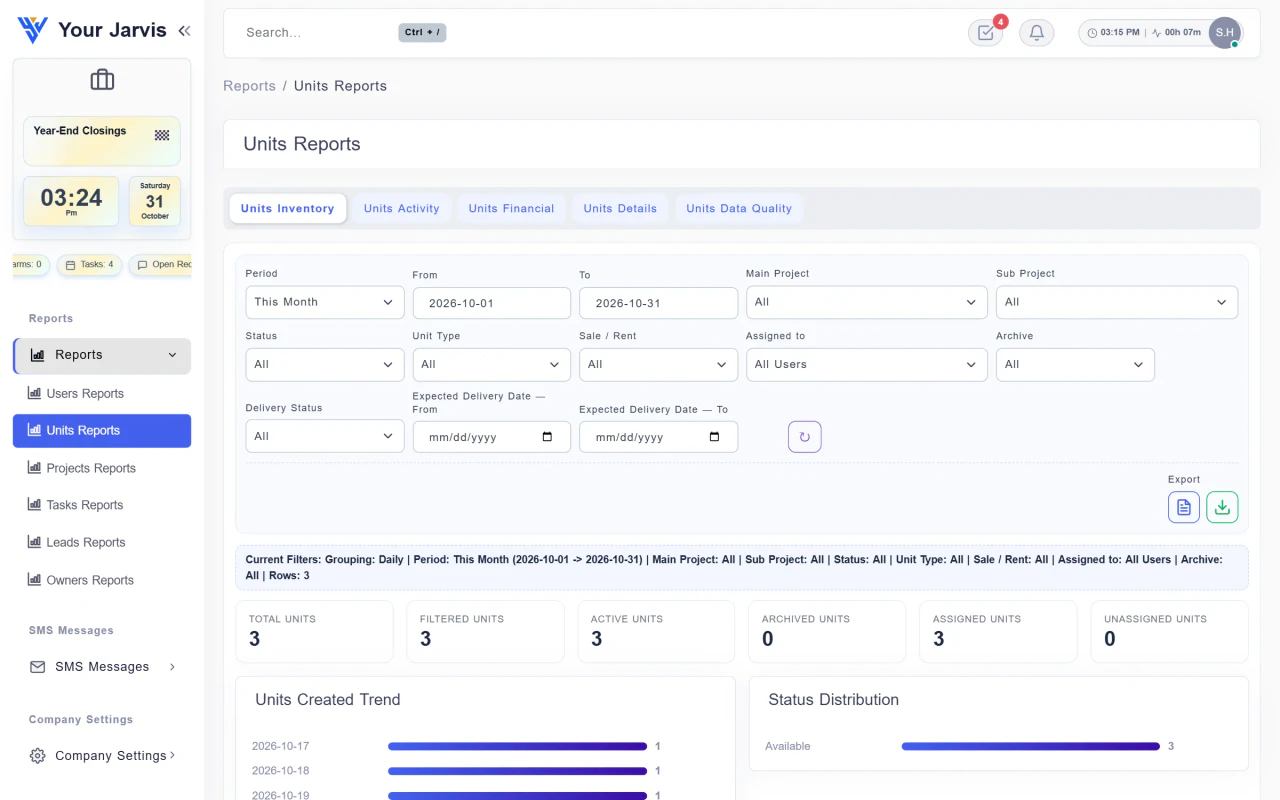
Property inventory reports

Review property statuses, specifications and listing values.

Review property statuses, specifications and listing values.
Inside the product · illustrative dataProperty inventory reports
Property inventory reports

Inside the product · illustrative data

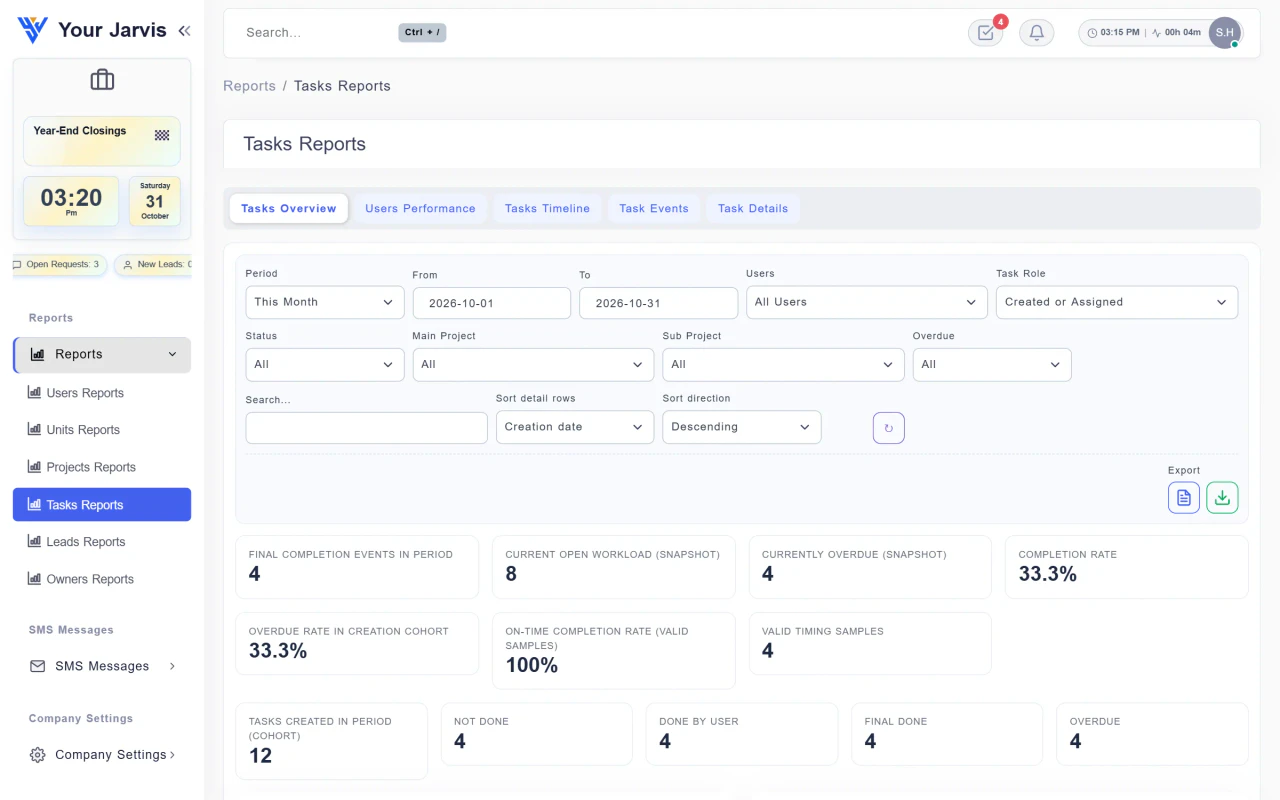
Task reports

Review assigned, completed and confirmed task outcomes.

Review assigned, completed and confirmed task outcomes.
Inside the product · illustrative dataTask reports
Task reports

Inside the product · illustrative data

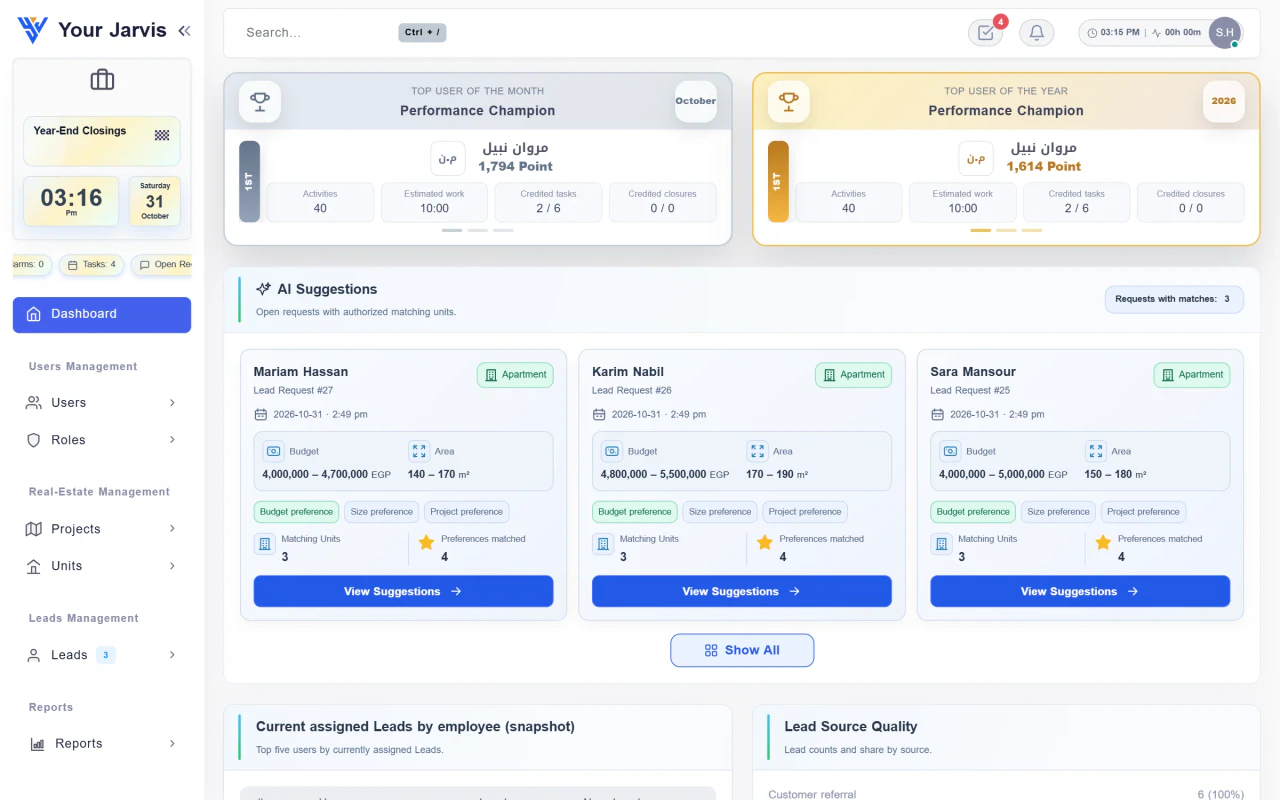
Current performance standings

Current monthly and yearly leaders within the dashboard.

Current monthly and yearly leaders within the dashboard.
Inside the product · illustrative dataCurrent performance standings
Current performance standings

Inside the product · illustrative data

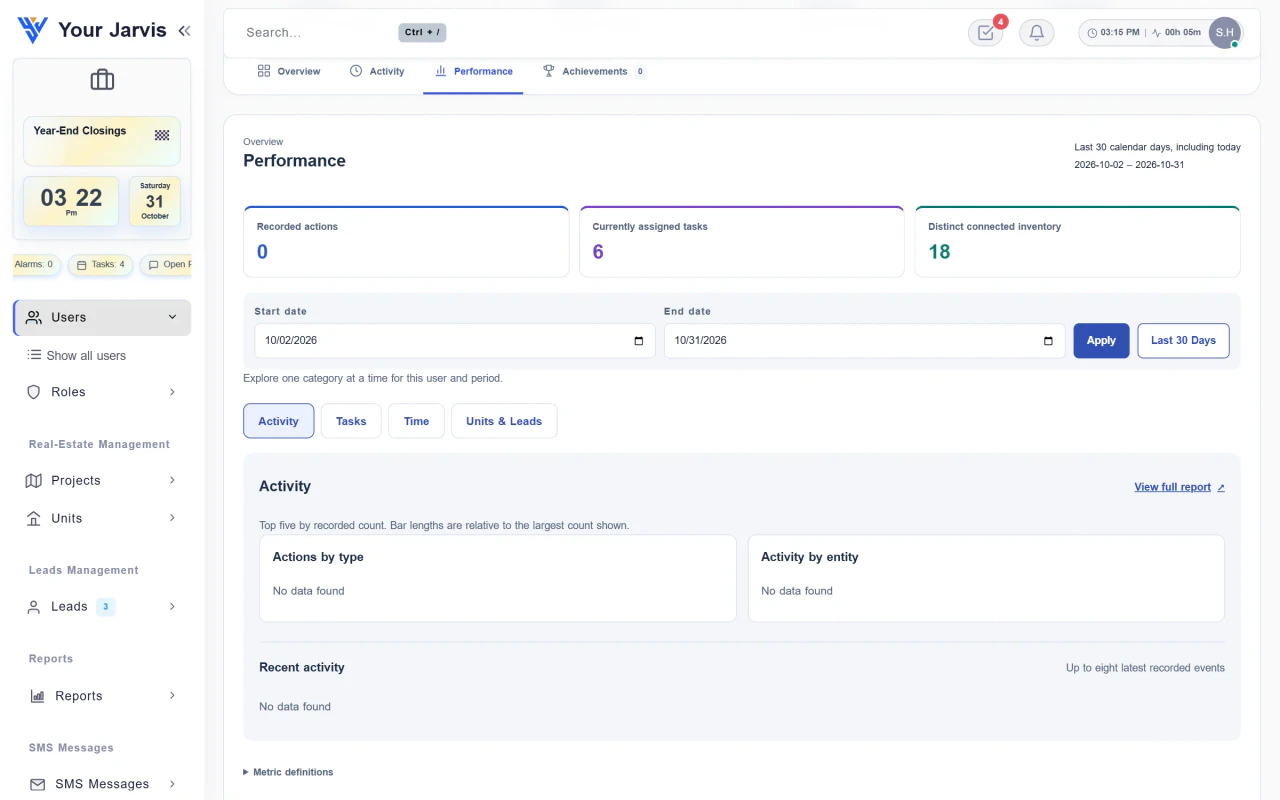
Employee performance details

Review recorded activity and reports in the employee context.

Review recorded activity and reports in the employee context.
Inside the product · illustrative dataEmployee performance details
Employee performance details

Inside the product · illustrative data

Saved achievement records

Saved awards with their periods and recorded dates.

Saved awards with their periods and recorded dates.
Inside the product · illustrative dataSaved achievement records
Saved achievement records

Inside the product · illustrative data

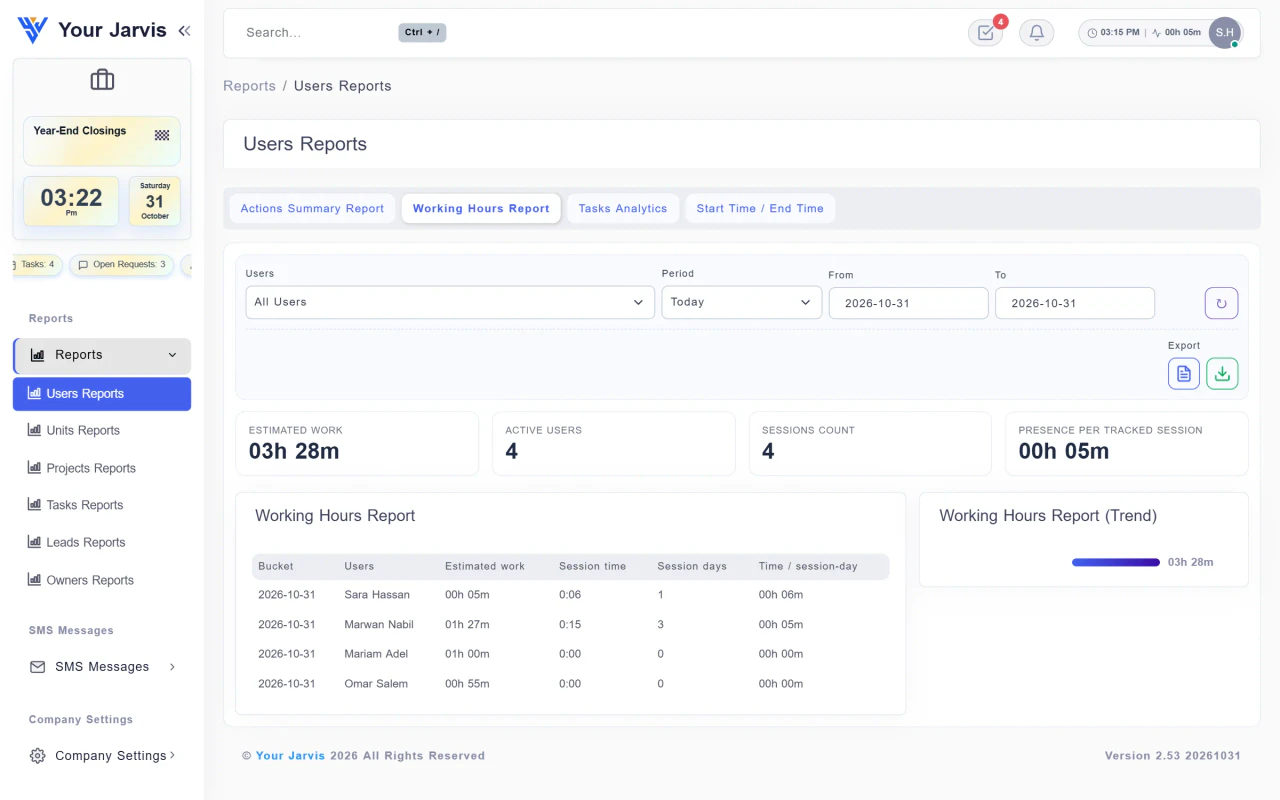
Estimated application activity

Estimated activity periods from application use within the report filters.

Estimated activity periods from application use within the report filters.
Inside the product · illustrative dataEstimated application activity
Estimated application activity

Inside the product · illustrative data

Jarvis AI assistant

Open section details

An illustrative assistant concept for permitted information and next-step proposals. Available tools and actions must be demonstrated for your company.

An interactive workflow illustration
Jarvis AI AssistantIllustrative data
Read authorized information
Open requirement

Sara Mansour’s requirement

New Cairo · Apartment

EGP 4–5 million

Sara is looking for an apartment in New Cairo, with a budget of EGP 4–5 million and an area of 150–180 m². Review the garden preference recorded in the request context.

The assistant reads, summarizes and compares. The team keeps control of record changes and actions.

Questions connected to your work

Use natural language to search permitted customer, requirement and property information instead of starting separately from every list.

A summary that keeps what matters

Bring customer requirements and recorded context into a concise view to review before a call or a discussion with the team.

Keep the answer close to its context

Review relevant context and records to understand what informs an answer, then open working details when you need to verify or explore further.

Your permissions shape the next step

Reading information and preparing actions follow user permissions. Review the proposed action and confirm it before any change runs.

Analysis and metric comparisons

Explore explanations and comparisons of defined metrics, connecting analysis to report context so the conversation supports understanding and review.

Visibility into assistant usage

Review assistant use, consumption indicators, estimated cost and budgets through administrative tools to keep usage decisions clear.

Company administration & permissions

Open section details

Accounts, invitations, roles, permissions and personal settings, with visibility into the company’s recorded subscriptions, resources and working data.

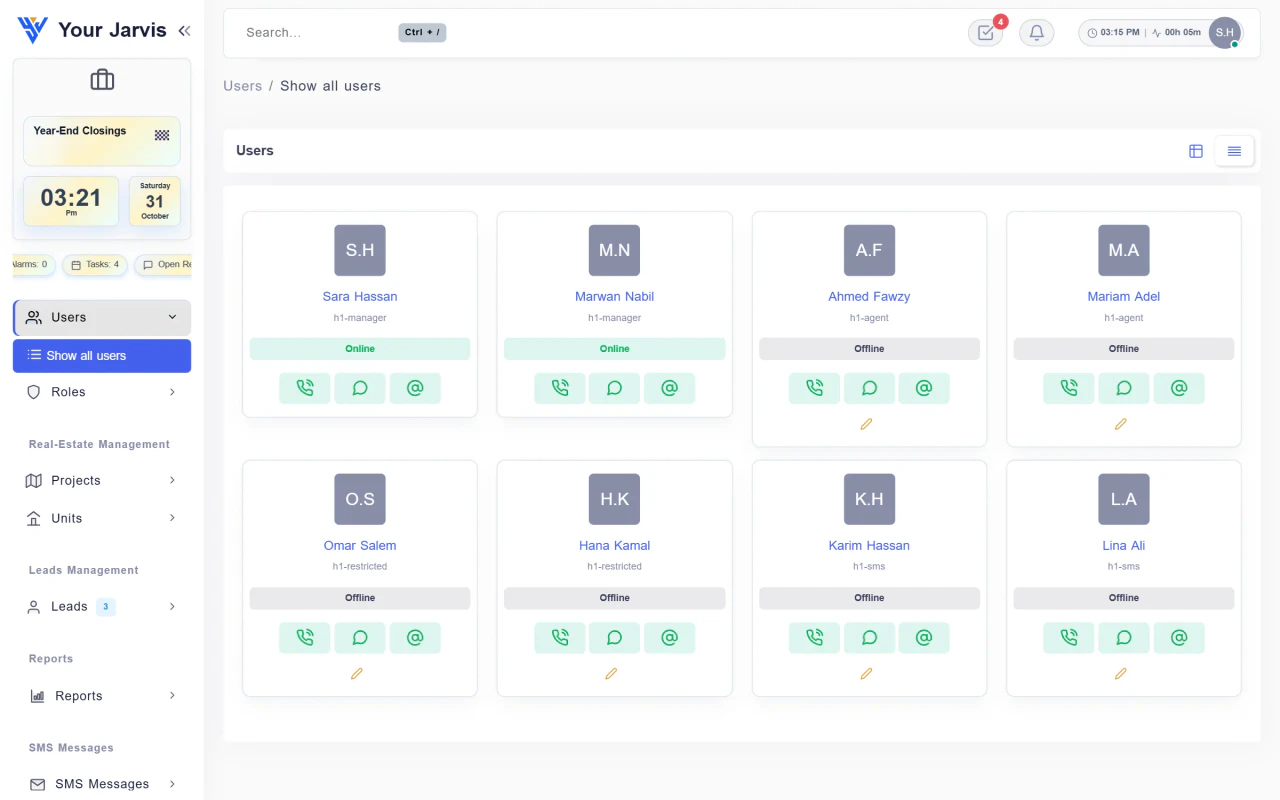
Team members

Employees, roles and working information.

Employees, roles and working information.
Inside the product · illustrative dataTeam members
Team members

Inside the product · illustrative data

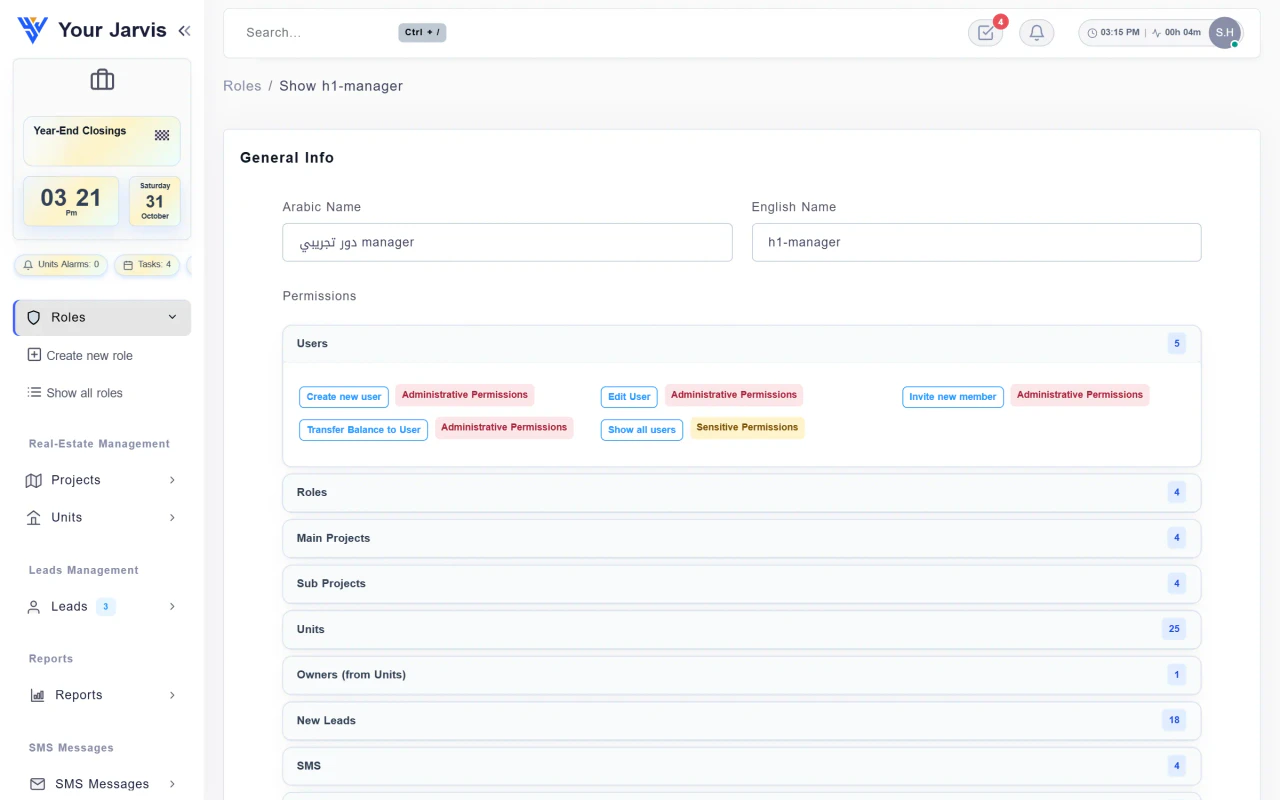
Roles and permissions

Review permissions associated with team roles.

Review permissions associated with team roles.
Inside the product · illustrative dataRoles and permissions
Roles and permissions

Inside the product · illustrative data

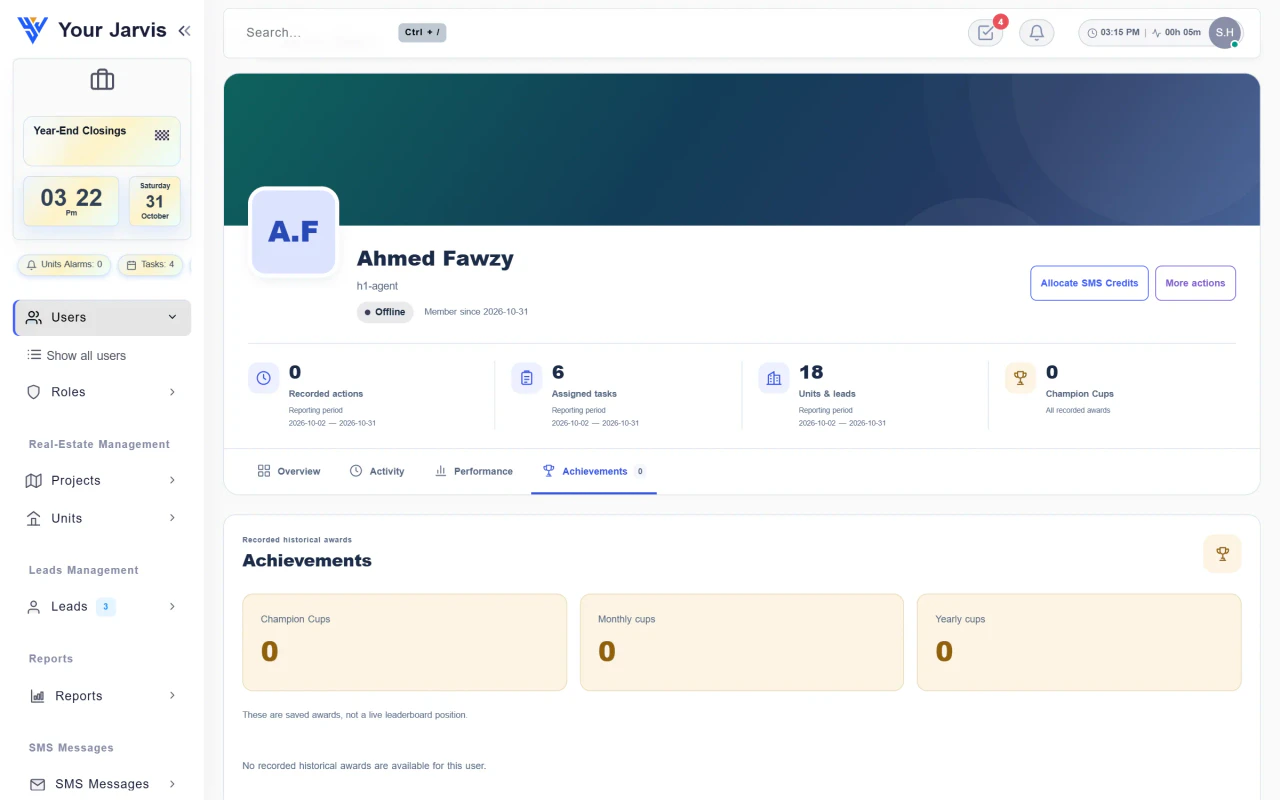
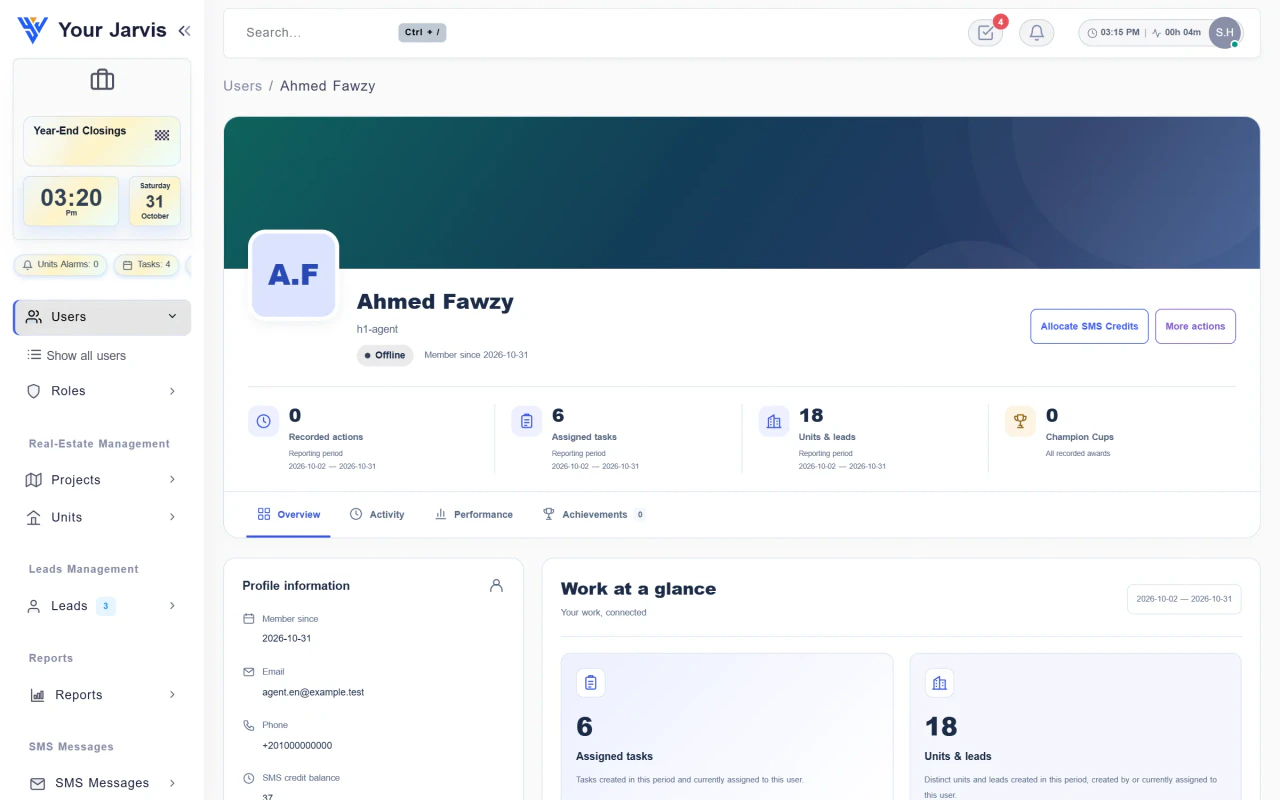
Employee profile and achievements

Employee identity, activity, performance and saved awards.

Employee identity, activity, performance and saved awards.
Inside the product · illustrative dataEmployee profile and achievements
Employee profile and achievements

Inside the product · illustrative data

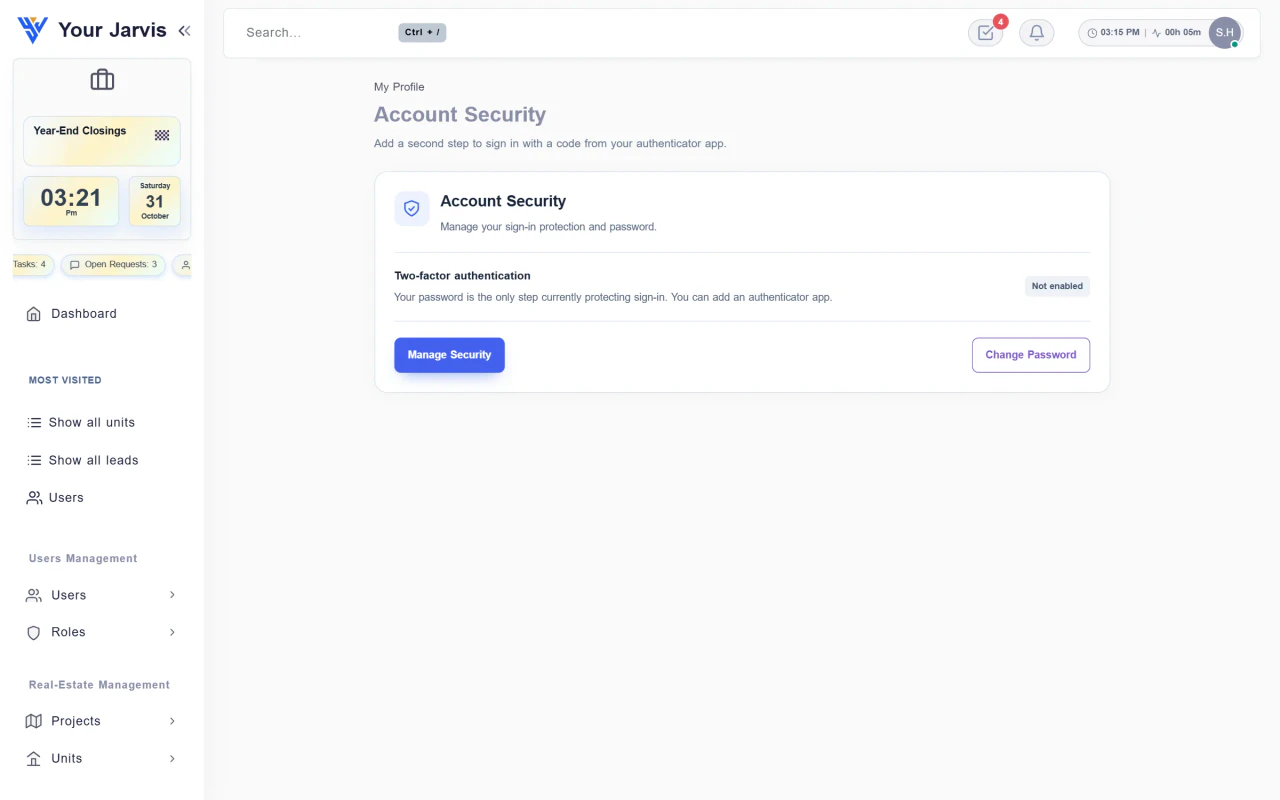
Account security settings

Security preferences available to the account holder.

Security preferences available to the account holder.
Inside the product · illustrative dataAccount security settings
Account security settings

Inside the product · illustrative data