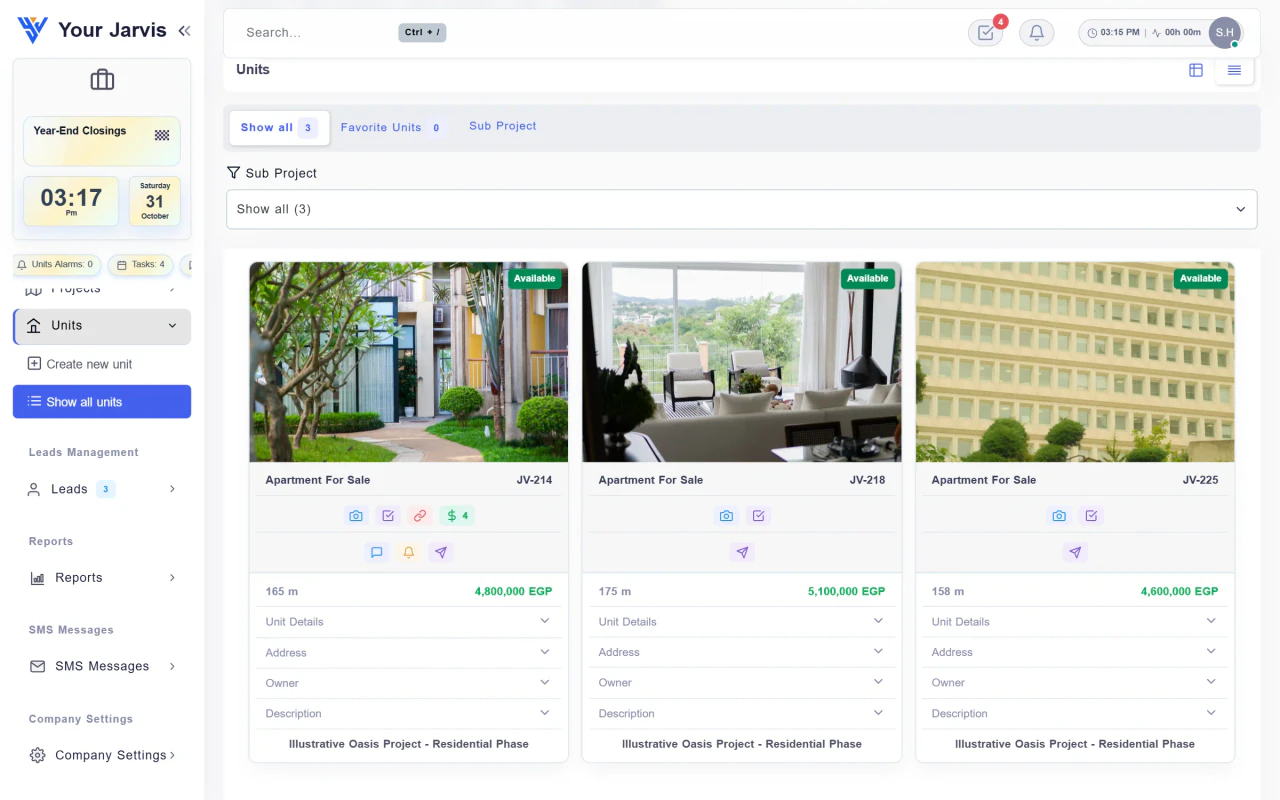
Sale and rental details
Bring area, rooms, condition, furnishing, amenities, prices, address, location and project into the property record, with a clear status and responsible employee.
Sale and rental properties, their projects, relationships, media and history in an inventory that helps the team work with clear details.
A list of properties alone is not enough to choose the next step. The team needs the current status, price, specifications, responsible person, owner or renter relationship and recorded changes without moving between scattered sources.
Bring area, rooms, condition, furnishing, amenities, prices, address, location and project into the property record, with a clear status and responsible employee.
Use tables to compare and cards to browse, with search, filters, favorites, assigned properties and archived records within your permissions.
Organize main and sub-projects, bilingual information, locations, media and linked units. Distinguish a ready property from one with an expected delivery date.
Link the appropriate contact records and review recorded owner, renter and referral associations, keeping the relationship background close to the property details.
Review recorded changes to status, responsibility, owner and renter relationships and delivery details, including values and dates associated with relationship transitions.
Keep installment dates, amounts and types together, and update paid or unpaid flags to maintain a clear schedule within the property record.
Organize galleries and linked files, with watermark or frame options when preparing photos. Move from understanding the property to presenting it clearly.
Update status, add a comment or dated follow-up, and review delivery details from the property context under each action’s permissions. Use supported spreadsheets to import and export inventory.