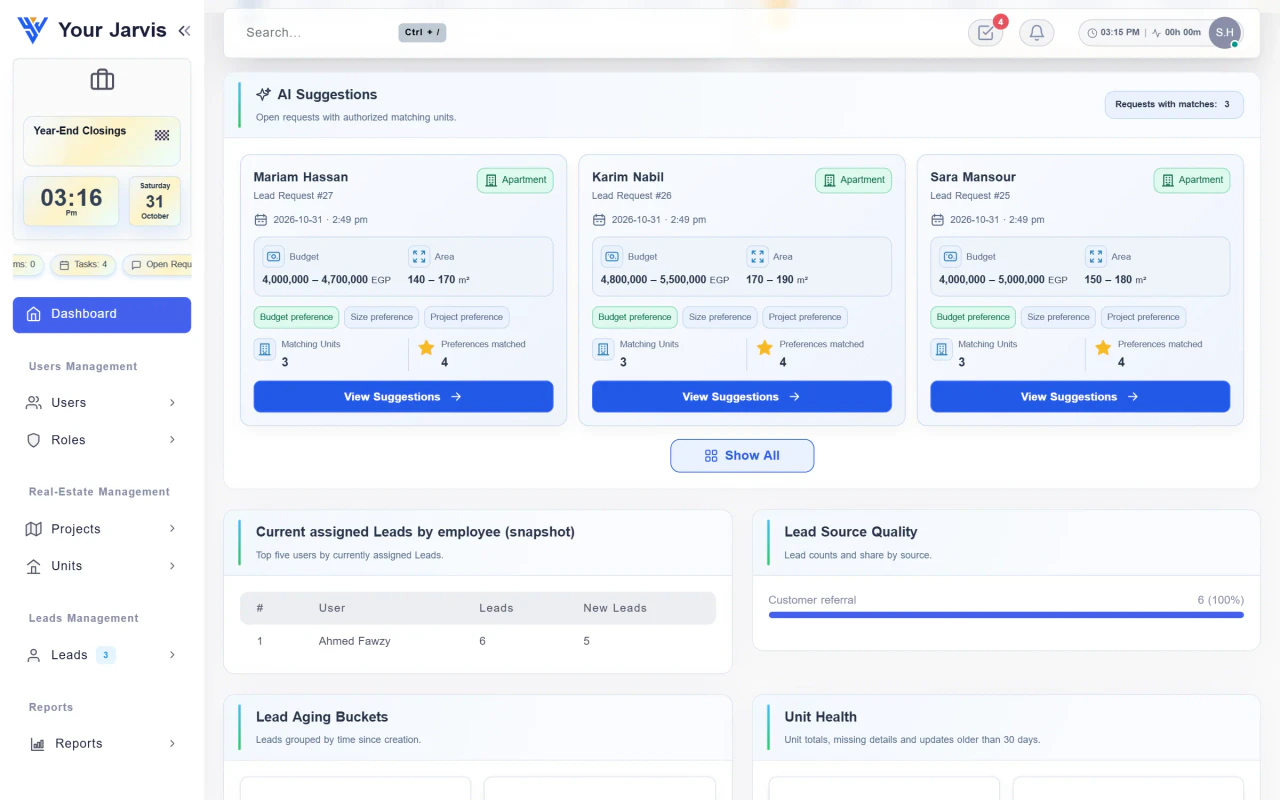
Start with the customer’s criteria
Matching uses the recorded requirement, including property and transaction type, project, budget and area ranges, rooms and bathrooms.
Turn a customer requirement into a reviewable property shortlist, with clear reasons that support comparison and the next step.
Repeated manual searches make connecting customer needs to inventory a separate job from follow-up. Matching brings requirement criteria and the properties you can access into one context for reviewing relevant options.
Matching uses the recorded requirement, including property and transaction type, project, budget and area ranges, rooms and bathrooms.
Rules account for property availability, property and transaction type and project context, with furnishing context for relevant rental requirements.
Rules bring options closer to budget, area, room and bathroom preferences. Review each property’s details to balance customer preferences against the available choices.
Read matching preferences and specifications beside the result, helping you explain why a property deserves consideration and what still needs discussion.
Open the original requirement or the property record from the shortlist instead of searching again for the context behind the comparison.
Requirement and property visibility follow user permissions and responsibilities. Clear rules organize the comparison while the team chooses the presentation and next step.

165 m² · 3 rooms · EGP 4.8 million
Listing price falls within the request budget
175 m² · 3 rooms · EGP 5.1 million
Area is close to the customer’s requirement