Open the appropriate contact channel
Move from the customer’s details to phone, WhatsApp or email links, with social profiles and location links when they are recorded.
Contact channels, relationship history, SMS tools and property presentations connect to the customer and the step they need next.
Communication loses context when it sits apart from the customer’s requirement or the property under discussion. Your Jarvis connects channel details, activities, presentations and follow-up so the team can see what was recorded and what needs another step.
Move from the customer’s details to phone, WhatsApp or email links, with social profiles and location links when they are recorded.
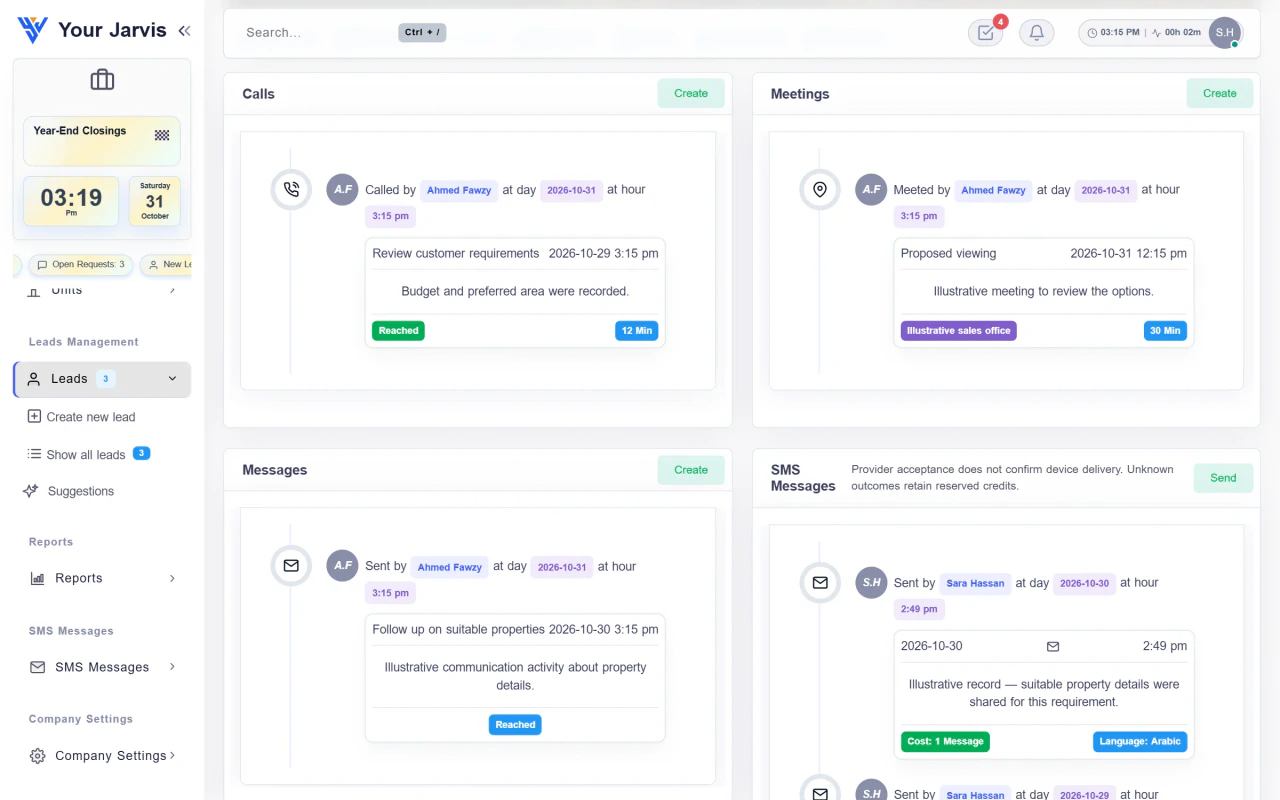
Log calls, messages, meetings and viewings with dates, notes and outcomes, then review them alongside team comments and activity history.
Add the context a colleague needs to the customer record and mention the relevant people within the visibility scope, making handovers easier to understand.
Compose a message and select a customer or an authorized group of customers and owners. Recipient review and normalized phone deduplication keep the intended list clear.
Review recipient count, encoding, message segments and the estimate before sending, then return to recorded statuses and costs in message history.
Prepare a property presentation with suitable details and photos, then copy the link or open the contact channel. Set its duration and manage it from the property context.
This illustration explores a combined property presentation; ask to see the available sharing workflow before relying on a collection link.
Log communication, update status and add a comment or dated follow-up through connected actions, with separate authorization for each part and queues that surface overdue work.
Sara prefers a garden apartment; review a suitable viewing time.
Review the requirement details before the next conversation.
Sharing context connects the customer and the property.
Activity History preserves logged communication. Phone, email and contact links open their respective channels.