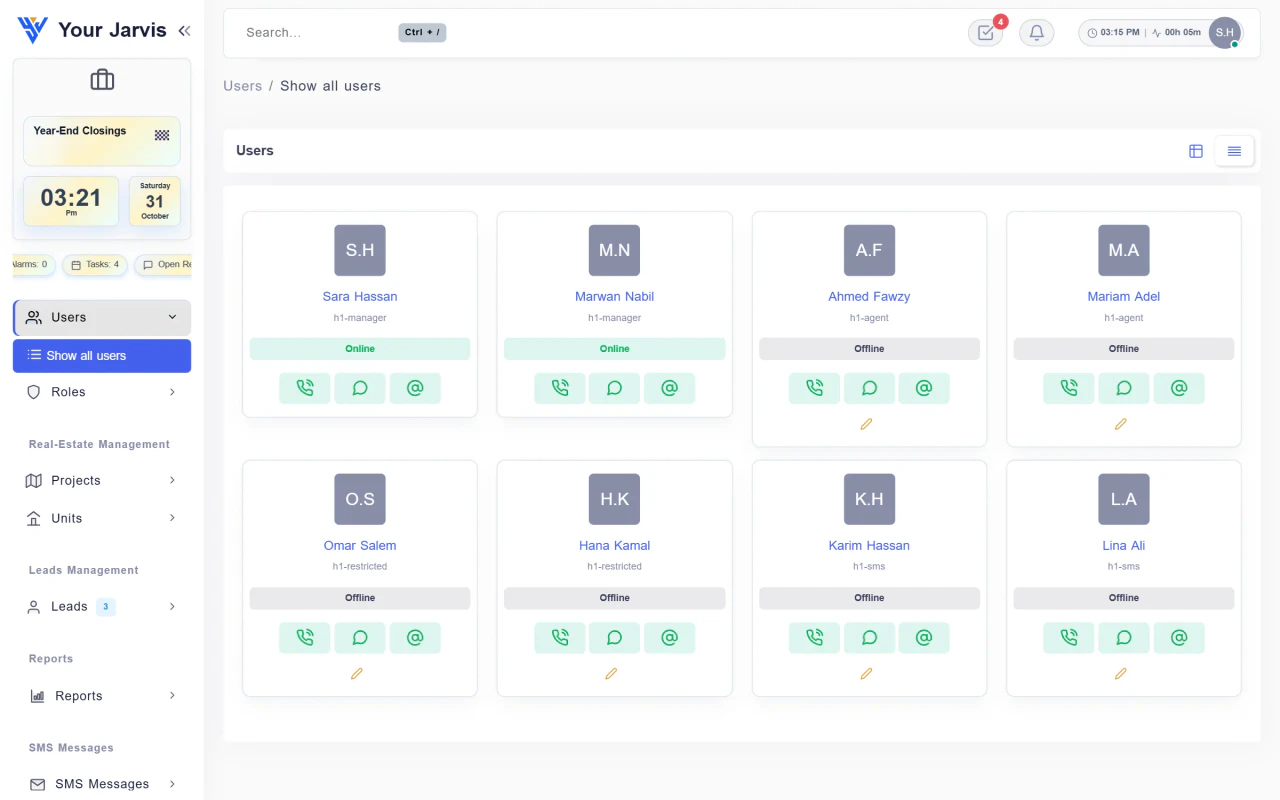
Team accounts and invitations
Add employees, send invitations and update accounts and status through dedicated tools, with separate authorization for each operation.
Accounts, invitations, roles, permissions and personal settings, with visibility into the company’s recorded subscriptions, resources and working data.
As the team grows, it becomes more important to know who can see or change a record, how an employee joins and where management reviews account and resource details. Your Jarvis brings those tools together within defined access boundaries.
Add employees, send invitations and update accounts and status through dedicated tools, with separate authorization for each operation.
Define record visibility, creation and editing, report access and administrative actions, with delegation boundaries and protection for sensitive roles.
Move between an employee overview, activity, performance and achievements, with report and account details displayed according to the viewer’s permissions.
Manage passwords, two-step verification and recovery tools from the user account, with identity confirmation for access to sensitive security settings.
Choose the language, appearance and view that suit the task, and use the browser interface across screen sizes to reach your working context.
Review company identity, contact details, recorded subscriptions and dates, with visibility into users and storage usage in GB.
Use spreadsheet templates and supported fields to bring in or export customer and property data within the user’s access scope.
Review recorded storage use within your permissions. The illustrated team-file library requires a company demonstration; SMS credit tools remain subject to the authority and service configuration granted.
Roles and permissions govern access, alongside employee profiles, notifications, account preferences and security settings.