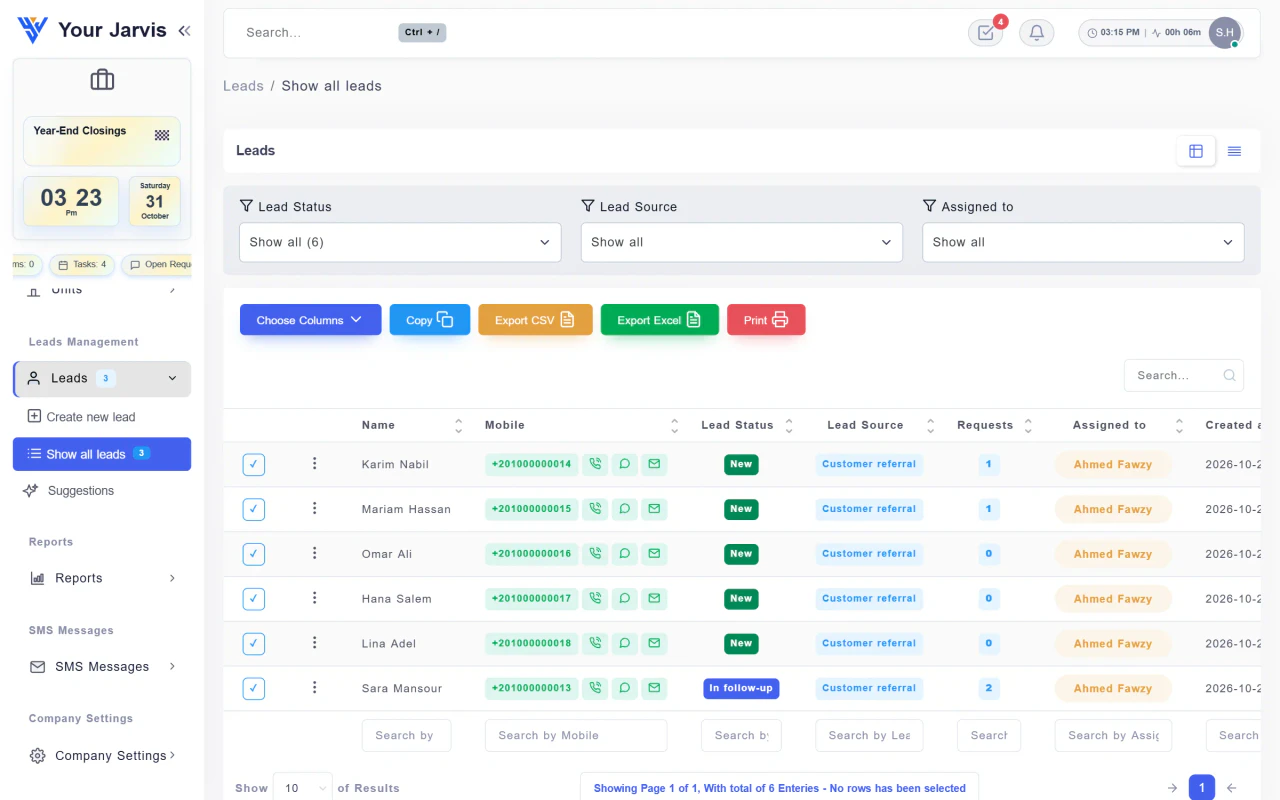
A record with relationship context
Keep the name, contact details, occupation, company, source, status and responsible employee together, so follow-up begins with a clear understanding.
A clear record for each relationship, independent requirements for each search, and follow-up ownership the team can see.
When customer details live in scattered numbers and notes, understanding a requirement or handing follow-up to a colleague becomes harder. Your Jarvis brings the relationship, its requirements and its context into a record the authorized team can revisit.
Keep the name, contact details, occupation, company, source, status and responsible employee together, so follow-up begins with a clear understanding.
Move between accessible customers, your assigned records and the archive. Search and filter by source, status and assignee, and keep useful relationships in your favorites.
Separate a purchase search from a rental search, or one requirement from another. Each keeps its own description, criteria and open or closed state as the relationship develops.
Define budget and area ranges, project, property and transaction type. Add rooms, bathrooms, floor, furnishing and garden preferences when they belong to the requirement.
Update follow-up ownership or customer status and work on selected records with bulk actions governed by the user’s permissions and accessible scope.
Keep phone numbers, WhatsApp links, email, social profiles and location details with the record, and open the appropriate contact channel from those details.
Attach useful documents and add team comments and colleague mentions, keeping the supporting details close to the relationship they describe.
Review logged calls, messages and meetings alongside activity and change history. Continue from preserved context instead of gathering the same details again.
Activity History preserves logged communication. Phone, email and contact links open their respective channels.